


Retail POS System in Singapore: A Smarter Way to Run Your Store in 2026

 Updated on Nov 06, 2026
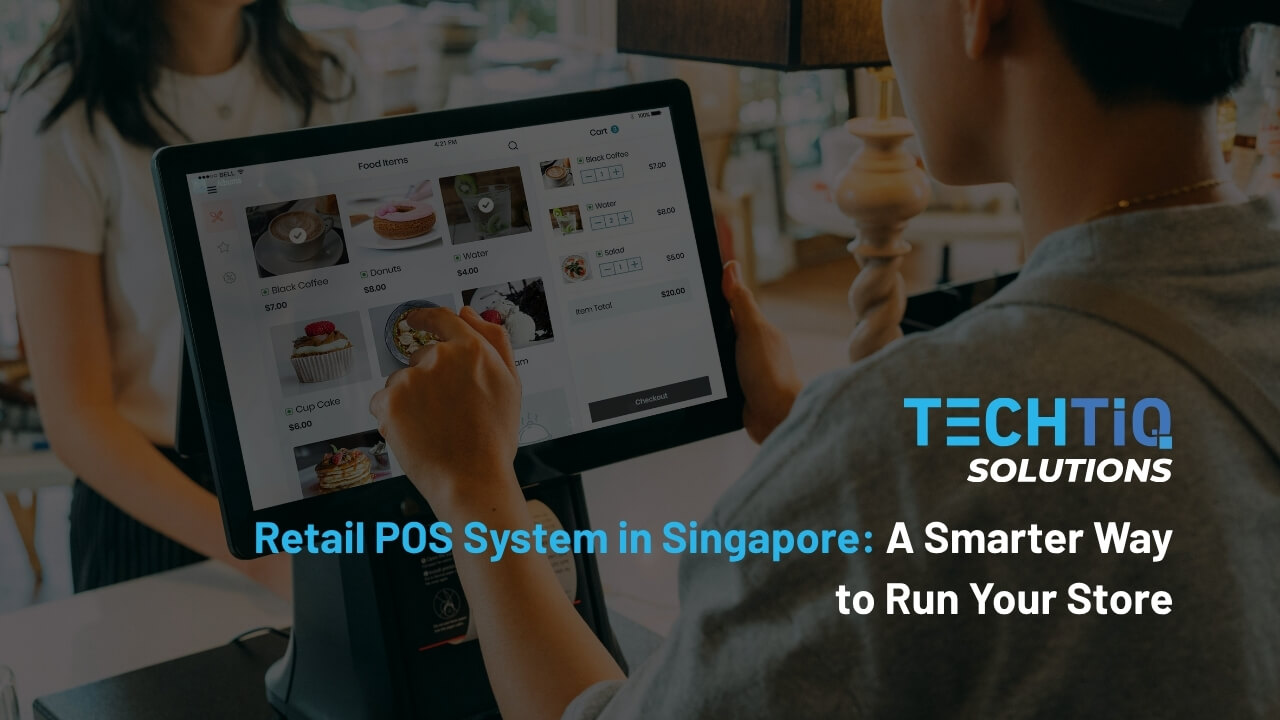
A busy Saturday at a Singapore store can expose every weak spot in your checkout. Stock counts do not match the shelves. Online orders take items the cashier already sold. Sales reports need hours of manual work.
Every mix-up like this costs you a sale. Over time, shoppers stop coming back.
A retail POS system fixes this problem. It is the tool that runs your checkout, payments, and stock in one place. You always know what you sold and what is left.
At TechTIQ Solutions, we build custom software for Singapore retailers. In this guide, you will learn how a POS works, which features matter, what it costs, and when a custom POS software solution makes sense.
Key Takeaways
- Pick features by daily need: A strong retail POS system supports NETS and PayNow, real-time stock across outlets, and PDPA-safe customer data.
- Match the POS type to your store: Use cloud POS for multiple outlets, mobile POS for floor sales, and self-checkout to cut queues.
- Budget with real numbers: In 2026, the typical POS system cost in Singapore is about S$50 to S$250+ per month for software. A custom build costs about S$40,000 to S$260,000+, based on TechTIQ Solutions’ estimates.
- Check the EDGE Grant: SMEs can receive up to 70% support for qualifying costs under Enterprise Singapore’s EDGE Grant (2026).
- Go custom when you outgrow standard tools: Build a custom point of sale system when you run many outlets, need deep ERP integration, or want full ownership of your data.
What Is a Retail POS System?
A retail POS system is the software and hardware a store uses to sell products and take payments. It records each sale and keeps your stock count up to date.
POS stands for “point of sale.” This is the moment and place where a customer pays for an item. A point-of-sale system captures that moment and turns it into data you can use.
Retail stores use a POS built for products. It handles barcodes, prices, discounts, and stock levels. A restaurant POS works differently because it manages tables, orders, and kitchen tickets.
For most retailers, POS is the main source of daily sales data. It shows what sells, when it sells, and which items need to be reordered.
How Does a Retail POS System Work?
A retail point of sale system works by recording each sale, taking payment, and updating stock in real time. Here is the process, step by step.
- Scan the item: The cashier scans the barcode. The point of sale pulls the product name and price from your product list.
- Apply discounts: The system adds any member discount or promotion. Staff do not have to calculate it by hand.
- Take payment: The customer pays by card, PayNow, e-wallet, or cash. The POS confirms the payment and records it.
- Issue the receipt: The customer gets a printed or digital receipt. The receipt shows GST where it applies.
- Update stock: The system lowers the stock count for each item sold. This happens right away, so your stock numbers stay current.
- Save the sale data: The point-of-sale system logs the time, items, and payment method. Managers can review this data in daily reports.
This cycle repeats with every customer. Because the POS and inventory system share the same records, your stock and sales numbers always match.
Hardware and Software Components of a Point of Sale System
The POS system components fall into two groups: the hardware at your counter and the software behind it.
Essential POS Hardware for Retail Stores
POS system hardware is the physical equipment at your checkout. The right setup depends on your store size and what you sell.
| Component | What It Does | Do You Need It? |
| POS terminal or tablet | Runs the point of sale app and shows the checkout screen | Yes |
| Barcode scanner | Reads product barcodes for fast and accurate checkout | Yes, for most stores |
| Card payment terminal | Accepts card, contactless, and QR payments such as PayNow | Yes, often supplied by your bank or payment provider |
| Receipt printer | Prints paper receipts for customers | Optional if you send digital receipts |
| Cash drawer | Holds cash and opens after each cash sale | Yes, if you accept cash |
| Customer display | Shows items and totals to the shopper | Optional |
| Label printer or weighing scale | Prints price labels and weighs loose items | Useful for grocery stores and minimarts |
A small shop can start with a tablet, a card terminal, and a barcode scanner. Larger stores often add more counters, label printers, and customer displays.
POS Software and Back-End Modules
The software tells the hardware what to do. Most POS software for retail store is built in four layers:
- Checkout app: The screen staff use to scan items and take payments.
- Back office: The admin area where managers set prices, add products, and view reports.
- Database or cloud server: The place where all sales, stock, and customer records are stored.
- Integrations: The links that connect the point of sale to accounting, eCommerce, or ERP tools.
When all four layers share the same data, every counter and every outlet sees the same numbers.
Which Features Should a Retail POS Software Include?
The right POS system features save time at the counter and give you clearer numbers. These six matter most for Singapore retailers.
Fast Checkout and Flexible Payments
Singapore shoppers expect to pay the way they like. A good POS payment system accepts all the common methods in a single checkout flow:
- Cards and contactless: Visa, Mastercard, and mobile wallets such as Apple Pay and Google Pay.
- NETS: The local debit network that many Singapore shoppers use every day.
- PayNow and SGQR: QR payments that customers scan with their banking or e-wallet app.
- E-wallets: Options such as GrabPay.
- Cash: Still common in many heartland stores.
Split payments and quick refunds also matter. They keep queues short on busy weekends and during the Great Singapore Sale.
Real-Time Inventory Management Across Stores
Many Singapore retailers run several outlets across malls and heartland estates. A POS system with inventory management shows stock levels at every outlet in real time.
Staff can check if another branch has an item and hold it for the customer. Managers get low-stock alerts before shelves run empty.
Stock transfers between outlets are also recorded in the system. Your counts stay accurate at every location.
Customer Loyalty and CRM Tools
Repeat customers bring steady sales. A POS system with loyalty program support lets you run points, member tiers, and birthday offers at the counter.
Data from each sale flows into your customer records. You can see what each member buys and send offers that match their interests.
For deeper insights, link your POS to a CRM tailored to your retail customers. Your team can then see each shopper’s full history across every outlet.
Sales Reporting and Analytics
Good reports turn daily sales into clear decisions. Look for a point of sale reporting system that shows:
- Sales by outlet: Compare how each store performs day by day.
- Best and slow sellers: Know what to reorder and what to clear.
- Peak hours: Plan staff rosters around your busiest times.
- Staff performance: Track sales and refunds by cashier.
- Mall sales reports: Many Singapore malls ask tenants to submit daily sales data. Some use it to calculate turnover rent.
Omnichannel Sync with Your Online Store
Many shoppers browse online and buy in-store, or the other way around. An omnichannel point of sale system links your outlets with your eCommerce website and marketplaces such as Shopee and Lazada.
All channels share the same stock count, so you avoid selling the same item twice. Customers can buy online and pick up in-store. Returns work across channels too.
Security, PDPA, and GST Compliance
A POS handles payments and customer data every day. Strong POS system security starts with user roles, so each staff member only sees what their job needs.
The system should also log every void, refund, and discount. These logs help you spot fraud early.
Your point-of-sale software should also help you meet Singapore rules:
- PDPA: Collect customer data only with consent. Avoid collecting full NRIC numbers, in line with PDPC guidelines.
- GST: If you are GST-registered, the POS should apply the 9% GST rate in effect since January 2024. It should also issue receipts that meet IRAS rules.
- Tourist refunds: If you serve tourists, your POS can work with the electronic Tourist Refund Scheme (eTRS). Eligible visitors can then claim GST refunds.
- Card security: Payment flows should follow PCI DSS standards to protect card data.
How Can AI Make a Retail POS System Smarter?
An AI POS system uses your sales data to forecast demand, personalize offers, and spot problems early.
Demand Forecasting and Smart Reordering
AI studies past sales, seasons, and local events to predict what will sell next. It can suggest how much to reorder for each outlet before stock runs low.
This helps you prepare for festive peaks such as Hari Raya, Deepavali, and Christmas.
Personalized Offers and Product Suggestions
A POS system with AI can suggest add-on items at checkout, based on what similar shoppers bought. It can also send each member offers that match their buying habits.
Customer data used by AI tools still falls under the PDPA. In 2024, the PDPC published advisory guidelines on using personal data in AI recommendation systems.
Fraud and Loss Detection
AI watches for unusual patterns in transactions. Examples include many voids from one cashier, refunds without receipts, or discounts outside normal hours.
The system flags these cases for a manager to review. Your team can act before small losses grow.
Product Recognition at Self-Checkout
Cameras with AI can recognize fresh produce and loose items that have no barcode. Shoppers do not need to search through long product menus.
This makes self-checkout faster and reduces scanning mistakes.
Adding AI to Your Current POS
AI features in ready-made POS tools vary by plan and provider. Advanced features such as demand forecasting often come with higher-tier plans or paid add-ons.
If you want AI built around your own sales data, a custom AI integration can turn your current setup into an AI-integrated POS system. At TechTIQ Solutions, we help retailers connect forecasting models, chatbots, and analytics to the systems they already use.
Types of Retail POS Systems
There are four main types of point of sale systems for retail. Each one suits a different store size, layout, and budget.
Cloud-Based POS
A cloud-based point of sale system stores your sales and stock data on online servers. You can check every outlet from your phone or laptop, wherever you are.
Updates and backups happen automatically. This makes cloud POS a popular choice for growing retail chains in Singapore.
Most cloud systems also have an offline mode. If the internet drops, the counter keeps selling and syncs the data once it reconnects.
On-Premise POS
An on-premise POS system runs on a server inside your store. Your data stays on your own hardware.
This type suits large retailers that want full control over their data or need deep links to older in-house systems. The trade-off is more IT work, since your team handles updates, backups, and repairs.
Mobile POS
A mobile POS system runs on a tablet or handheld device. Staff can take payments anywhere in the store.
It works well for:
- Boutiques: Staff serve shoppers on the floor and close the sale on the spot.
- Pop-up stores: You can set up a counter at a mall atrium or weekend market in minutes.
- Peak seasons: You can add extra checkout points during busy periods such as Chinese New Year.
Some retailers need a mobile POS app built for their own workflow. For example, staff may need to check stock at other outlets or sign up new members on the spot. A team with experience in mobile app development in Singapore can build the app around the way your staff sell.
Self-Checkout and Kiosk POS
A self-checkout POS system lets customers scan and pay without a cashier. Supermarkets and convenience stores across Singapore now use them to cut queues.
This type also eases staffing pressure, a common challenge in Singapore retail. One staff member can watch several self-checkout lanes at once.
What Are the Benefits of a POS System for Retailers?
The main benefits of a POS (point of sale) system are faster checkout, accurate stock, and clearer business decisions. Here is how each benefit helps your store:
- Shorter queues: Fast scanning and payments cut waiting time. This matters in busy malls, where shoppers can walk to the next store in seconds.
- Fewer stockouts: Real-time stock counts help you reorder the right items before they run out.
- Less dead stock: You can spot slow sellers early and clear them. Less of your cash sits on shelves, which helps when rent is high.
- Fewer counter errors: The system applies prices, discounts, and GST automatically. Staff make fewer mistakes at checkout.
- More time for customers: Automated stock counts and end-of-day reports reduce manual work. Your team can spend more time serving shoppers.
- Better decisions: Sales data shows what sells, at which outlet, and at what time of day.
- More repeat visits: Member data helps you send offers that bring shoppers back.
- Easier GST filing: Clean sales records make it simpler to prepare GST returns and respond to IRAS checks.
- Room to grow: You can add new outlets or an online store on the same system.
These advantages of a POS system build up over time. The longer you use it, the more data you have to plan stock, staff, and promotions.
How POS Needs Differ by Retail Store Type in Singapore
Every retail format has its own checkout routine. These four Singapore store types need specific POS features.
Supermarkets, Grocery Stores, and Minimarts
Grocery retail moves fast and carries thousands of products. A grocery store POS system should handle:
- Weighing scales: Price fresh produce and loose items by weight at the counter.
- Expiry tracking: Flag items close to their expiry date so you can mark them down in time.
- Bulk promotions: Run deals such as “2 for S$5” or bundle offers automatically.
- High-volume checkout: Keep queues moving during evening and weekend rush hours.
Neighborhood minimarts in HDB estates often need a simpler setup. A compact counter with a scanner, a scale, and a card terminal is usually enough.
Fashion and Apparel Boutiques
Fashion stores sell the same items in many sizes and colors. A POS system for clothing stores tracks each size and color as its own stock item.
This helps staff answer a common question fast: “Do you have this in medium?” They can check other outlets and arrange a transfer on the spot.
Exchanges are frequent in fashion retail. The point of sale software should let shoppers exchange items at any outlet and update stock at both stores.
Seasonal collections also need close tracking. Good reports show which styles sell out and which need a markdown before the next season.
Jewelry Stores
Jewelry pieces are high in value and often one of a kind. A jewelry store POS system should support:
- Item-level tracking: Record each piece with its own serial number, weight, and certificate.
- Weight-based pricing: Price gold items by weight, the daily gold rate, and the workmanship fee.
- Strict access control: Limit who can edit prices or approve discounts.
- Compliance checks: Regulated dealers in Singapore must check customer details for cash sales above S$20,000. The POS can flag these sales for your team.
Pharmacies and Health Stores
Retail pharmacies sell everyday health products alongside controlled medicines. A pharmacy POS system helps you manage both in the same checkout.
In Singapore, the Health Sciences Authority (HSA) groups medicines into classes such as General Sale List and Pharmacy-only. The POS can flag Pharmacy-only items, so a pharmacist approves them before payment.
Batch and expiry tracking are also critical. It helps you remove expired stock and trace products quickly if a recall happens.
Health stores that sell supplements benefit from member programs too. Many shoppers buy the same products every month, so repeat-purchase offers work well.
How to Choose the Right Point of Sale Software for Your Retail Store
The best way to choose a point of sale system is to start with your store’s daily needs. Then check integrations, local support, and total cost. If you are wondering how to choose a POS system, follow these eight steps:
- List your must-have features: Walk through a normal day in your store, from opening to closing. Note each task the POS must handle, then mark which ones are must-haves and which are nice-to-haves. Ask your cashiers what slows them down, since their answers often point to the features that matter most.
- Check local payment support: Make sure the point of sale system accepts NETS, PayNow, cards, and e-wallets in one checkout flow.
- Confirm the integrations you need: The point of sale should connect with your accounting software, online store, and any ERP or CRM you use. Strong POS software integration saves hours of manual data entry.
- Plan for growth: Pick a system that can add new outlets, staff, and sales channels as your business expands.
- Review data security and PDPA: Ask where your data is stored, who can access it, and how it is backed up.
- Test ease of use: Retail staff change often. A simple checkout screen cuts training time for new hires.
- Check local support: Problems often happen at peak hours. Work with a provider or development partner that has a Singapore-based team and responds fast.
- Compare the total cost: Look at more than the monthly fee. Add hardware, payment processing fees, add-ons, and future upgrades.
The best POS system for retail in Singapore is the one that fits how your store works today and where it is heading.
How Much Does a Retail POS System Cost in Singapore?
The point-of-sale software Singapore price depends on three things: the software plan, the hardware, and how much you customize the system. Here is how each part adds up.
Subscription and Hardware Costs
Most ready-made systems charge a monthly fee for each terminal or outlet. You also pay upfront for hardware. A typical POS software cost includes these items:
| Cost Item | Typical Range in Singapore (2026) | What to Know |
| Basic software plan | S$50–S$100 per month | Covers checkout, basic inventory, and simple reports |
| Mid-tier software plan | S$100–S$250 per month | Adds CRM, loyalty programs, and third-party integrations |
| Advanced software plan | From S$199 per month | Built for multi-outlet chains and omnichannel setups |
| Tablet-based hardware | S$500–S$1,500 one-time | A lighter setup that suits small shops |
| Full counter hardware | S$1,500–S$4,000+ one-time | Covers counter terminals, barcode scanners, and receipt printers |
| Payment processing fees | 1.5%–2.6% per transaction | Applies to card and PayNow payments, often with a fixed gateway fee |
Annual plans can lower your monthly bill. Some providers list yearly plans from about S$910 to S$1,440, which works out to roughly S$75 to S$120 per month.
Small fees add up over time. Calculate the cost over three years for a fair comparison between options.
Custom POS Development Costs
How much does it cost to build a POS system? For Singapore retailers, a custom retail POS in Singapore costs about S$40,000 to S$260,000 or more. The final range depends on the scope of your system.
| Scope | What It Includes | Estimated Cost (2026) |
| Basic POS | Checkout, product catalog, basic stock tracking, payments, GST receipts, and simple reports for one store | S$40,000–S$65,000 |
| Multi-outlet POS | Real-time stock across outlets, loyalty program, accounting integration, offline mode, and staff roles | S$80,000–S$150,000 |
| Advanced omnichannel POS | eCommerce and ERP integration, mobile POS, self-checkout kiosks, mall sales reporting, and advanced analytics | S$160,000–S$260,000+ |
Each extra module, integration, or device type moves your project toward a higher tier. After launch, set aside a yearly budget for software maintenance and updates.
A custom point of sale system costs more at the start. In return, you own the system and pay no per-terminal subscription fees as you add outlets.
Grants That Can Offset POS Costs
Singapore offers grants that can reduce what you pay. The main POS system Singapore grant today is the EDGE Grant, which replaced PSG and EDG for new applications from 30 September 2026.
Under EDGE, SMEs can receive up to 70% support for qualifying costs, based on Enterprise Singapore’s 2026 guidelines. You can find eligibility details and application steps in our guide to the EDGE Grant for Singapore businesses.
At TechTIQ Solutions, we support clients through grant-funded projects in Singapore. We work alongside pre-approved consultants, so you can keep the same team from planning through launch.
Off-the-Shelf vs Custom Retail POS: Which Fits Your Business?
For a retail point of sale system in Singapore, the right choice depends on your size, workflow, and growth plans.
| Factor | Off-the-Shelf POS | Custom POS |
| Setup time | Days to a few weeks | Usually a few months |
| Upfront cost | Low | Higher |
| Ongoing cost | Monthly fees per terminal or outlet | Yearly maintenance budget |
| Features | Fixed set shared by all users | Built around your workflow |
| Integrations | Limited to supported apps | Connects to the systems you already use |
| Adding outlets | Fees rise with each new outlet | No new license fees per outlet |
| Data ownership | Stored on the provider’s platform | You own the code and the data |
| Support | Shared support team | A dedicated team that knows your system |
When an Off-the-Shelf POS Is Enough
A ready-made point of sale software works well when your needs are simple. It is likely the right fit if:
- You run one or two outlets: Monthly fees stay low at this size.
- Your checkout follows a standard flow: Common features cover your daily work.
- You need to start selling fast: Setup takes days, and staff can learn it quickly.
- Your budget is tight: You avoid a large upfront cost.
Many Singapore SMEs start here, and it is a sound first step. The limits usually appear as the business grows.
When a Custom POS System Makes Sense
A custom POS software is built for your business alone. It becomes the better choice when:
- Your workflow is unique: You use special pricing rules, consignment payouts, or approval steps that standard tools cannot handle.
- You run many outlets: Subscription fees grow with every terminal. A custom system keeps costs stable as you expand.
- You need deep integrations: Your POS must sync with an existing ERP, warehouse system, or franchise reporting.
- You want full control of your data: You decide where customer and sales data is stored, which makes PDPA planning easier.
- You plan to expand across Southeast Asia: One system can handle several currencies, languages, and tax rules.
At TechTIQ Solutions, our POS software development work starts with how your staff sell today. We build the features you need and connect them to your existing tools.
This work is part of our retail software development services in Singapore. We also support the system after launch, so it grows with your stores.
Since 2017, we have delivered more than 800 projects. Our work follows ISO 9001 and ISO 27001 standards for quality and information security.
Frequently Asked Questions
What is the difference between a cash register and a POS system?
A cash register records sales and stores cash. A point-of-sale system does much more. It tracks stock, accepts card and PayNow payments, stores customer data, and creates sales reports. For Singapore retailers with more than one outlet, a POS also syncs data across stores, which a basic cash register cannot do.
Can a retail POS system work without an internet connection?
Yes, if it has an offline mode. An offline POS system keeps processing sales when the internet drops. It stores each transaction on the device and syncs the data once the connection returns. Card payments may still need a network, so ask how your provider handles card terminals during an outage.
Can a POS system connect to my accounting software or online store?
Yes. Most modern systems support POS system integration with accounting tools, ERP, eCommerce platforms, and CRM software. Sales data flows into your books automatically, which saves time when you file GST. If your current POS cannot link to a tool you rely on, a custom build can connect it through APIs.
Is a point of sale software worth it for a small retail business in Singapore?
Yes, for most shops. A POS software for small business owners cuts manual work, reduces checkout errors, and shows which products sell best. Entry-level plans in Singapore start from about S$50 per month in 2026. As the business grows, the same data helps you plan stock and open new outlets with confidence.
How long does it take to build a custom POS system for retail stores?
A basic custom POS system software takes about 3 to 4 months. A multi-outlet system takes 4 to 6 months. An advanced omnichannel system with ERP, eCommerce, and kiosk support takes 6 to 9 months. Clear requirements at the start help keep the project on schedule.
Can I move my data from an old POS to a new system?
Yes. Most product lists, stock levels, customer records, and sales history can be exported and moved into a new system. A smooth POS system implementation includes cleaning the data first, testing it before go-live, and avoiding busy sales periods for the switch. Customer data must still follow PDPA rules during the move.
Conclusion
A retail POS (point of sale) system sits at the center of your store. It handles every sale, keeps stock accurate, and gives you the data to plan ahead.
Start with your daily needs. A ready-made POS can serve a small shop well. As you add outlets, sales channels, and integrations, a custom system often gives you more control over cost and data.
Planning a POS that fits the way your stores work? Talk to TechTIQ Solutions. Our team will help you scope the system, estimate the cost, and plan the build, including support for grant-funded projects in Singapore.


Related articles
Knowledge Management System: Custom KMS Development for Singapore Businesses in 2026
 Bruce Pham
 25 Oct 2026
Custom Workforce Management Software in Singapore: Features, Benefits, Cost (2026)
22 Oct 2026 
What Is HRIS? Features, Costs, and Grants for Singapore HR
21 Oct 2026 
What Is HRMS? A Complete Guide to Human Resource Management Systems in Singapore
17 Oct 2026 
Warehouse Management System (WMS) in Singapore Logistics 2026
13 Oct 2026 
School Management System (SMS) Guide for Singapore Schools 2026
07 Oct 2026 
Fleet Management System (FMS) Guide 2026: Features, Benefits & Singapore Rules
01 Oct 2026 
Learning Management System (LMS) Guide for Singapore Education (2026)
15 Sep 2026 
What Is a Transportation Management System (TMS)?
04 Sep 2026 


