


What Is Manufacturing ERP? Features, Costs, and Benefits in Singapore

 Updated on Nov 16, 2026
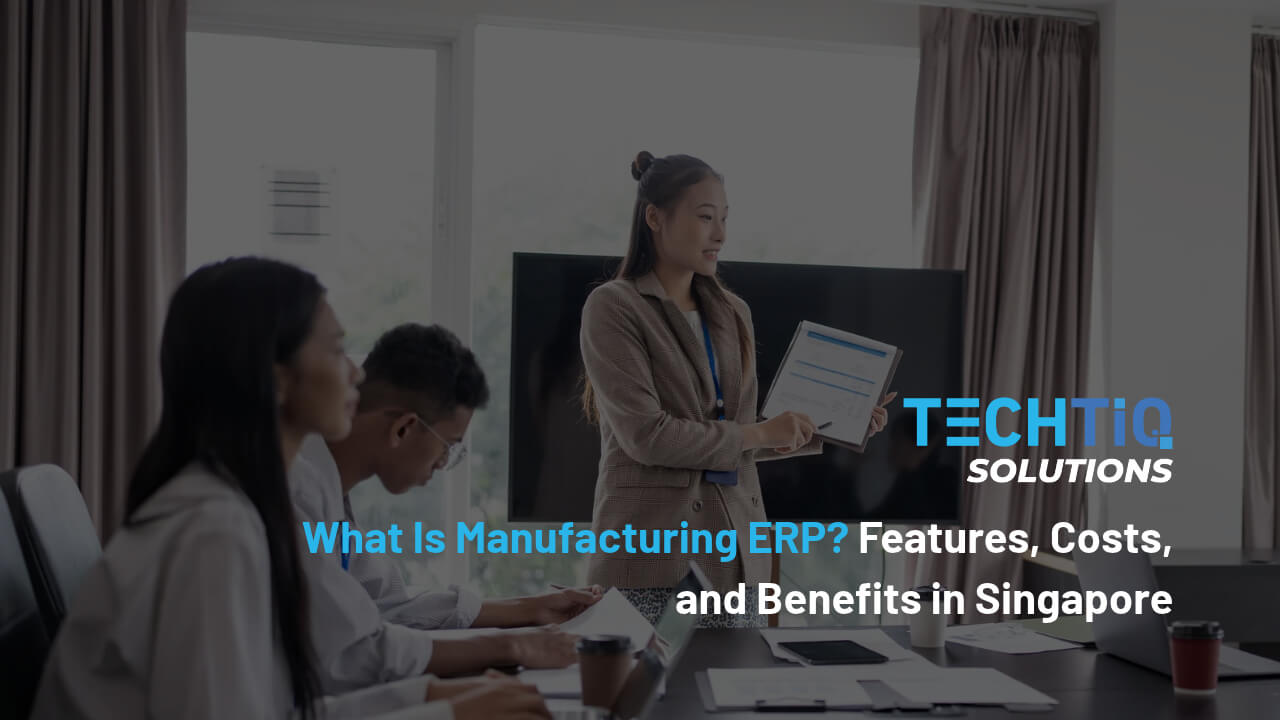
Singapore manufacturers deal with tight manpower and high operating costs, so manual work and data errors are expensive. When production, stock, and sales run on separate spreadsheets, orders get delayed, and reports take days to prepare. Manufacturing ERP brings all of this into one system, so every team works from the same numbers.
This guide covers how ERP for manufacturing works, the features worth paying for, and what it costs in Singapore. It also shares what our team at TechTIQ Solutions looks at when building custom ERP software for local factories.
Key Takeaways
- Manufacturing ERP in Singapore is software that helps local factories plan production, track stock, control costs, and meet rules like GST, PDPA, and SFA requirements.
- One Connected System: ERP for manufacturing links production, inventory, purchasing, sales, and finance, so every team works from the same live data.
- Core Features First: Start with production planning, BOM, inventory, and quality control. These modules solve the most common problems on the factory floor.
- AI Features: Use AI with IoT data from your machines to forecast demand, predict machine failures, and suggest better production schedules.
- Grant Support: Check the EDGE Grant from Enterprise Singapore, which may support custom ERP projects that upgrade your operations.
What Is Manufacturing ERP?
Manufacturing ERP is software that connects production, inventory, purchasing, sales, and finance in one system. Every team works from the same live data.
How Does ERP Differ from MRP?
MRP stands for Material Requirements Planning. It answers three simple questions: what materials you need, how many, and when.
ERP does much more than MRP. A manufacturing ERP system plans materials too. It also handles sales orders, production, quality checks, finance, and reports. In most systems today, MRP is just one part of the full ERP.
| MRP | Manufacturing ERP | |
| Main focus | Materials planning | The whole business |
| What it covers | Material needs, purchase timing, stock levels | Production, inventory, sales, purchasing, quality, finance, reporting |
| Main users | Planners and buyers | Every department, from the shop floor to management |
| Best for | Simple production with few products | Growing factories that need one view of the business |
Many small factories start with MRP or spreadsheets. They often upgrade to a full ERP system for manufacturing once they need sales, production, and finance data in one place.
How Does Manufacturing ERP Software Work?
Manufacturing ERP software runs on one central database. Each department adds data to it and reads from it. This keeps the numbers the same across sales, production, the warehouse, and finance.
Here is how a typical order moves through the system:
- Sales enters a customer order, and the system checks stock and delivery dates.
- If stock is short, the system creates a production plan and lists the materials needed.
- Purchasing gets an alert for missing materials and raises purchase orders.
- The shop floor follows the work orders and records output, scrap, and machine time.
- Quality checks are logged for each batch or product.
- Finished goods move into inventory, and the order is shipped.
- Finance sends the invoice and tracks the real cost of each order.
This flow shows the close link between ERP and manufacturing. Each step updates the next one, so teams spend less time on phone calls, emails, and entering the same data twice.
What Are the Main Types of Manufacturing Enterprise Resource Planning?
Manufacturers make products in different ways. The right ERP depends on how your factory turns raw materials into finished goods.
Discrete Manufacturing ERP
Discrete manufacturing makes separate items that you can count, such as electronics, machinery, and furniture. It is common in Singapore’s electronics and precision engineering sectors.
Discrete manufacturing ERP systems focus on bills of materials, assembly steps, and serial number tracking. They help factories manage many parts and product versions.
Process Manufacturing ERP Software
Process manufacturing mixes ingredients using formulas or recipes. Once the product is made, you cannot split it back into its original parts. Food, beverages, chemicals, and pharmaceuticals work this way.
Process manufacturing ERP software manages recipes, batch production, shelf life, and lot tracking. These features help producers meet quality rules, including Singapore Food Agency (SFA) requirements for food makers.
Mixed Mode Manufacturing ERP
Some factories use both methods. A beverage company, for example, mixes drinks in batches and then packs them into bottles and cartons.
Standard software often fits one method better than the other. This is where custom ERP solutions for manufacturing can help, since one system can support both workflows.
Cloud or On-Premise: Which Deployment Fits Your Factory?
Deployment means where your ERP runs and who manages the servers. This choice affects cost, security, and daily access.
Cloud Manufacturing ERP
Cloud manufacturing ERP runs on servers managed by a cloud provider. Your team logs in through a web browser or mobile app from the office, the factory floor, or home.
Costs are spread out as monthly subscription or hosting fees, so the upfront cost stays lower. The provider handles server updates, backups, and maintenance. This makes cloud ERP for manufacturing a good fit for SMEs with small IT teams.
Before choosing cloud-based manufacturing ERP software, check where your data is stored. Many major cloud providers run data centers in Singapore. Keeping data local can make it simpler to protect customer and employee records under the Personal Data Protection Act (PDPA).
If your factory still runs an older ERP on local servers, the move can happen in stages. Our team at TechTIQ Solutions helps with moving your existing system and data to the cloud while production keeps running.
On-Premise Manufacturing ERP
On-premise ERP runs on servers inside your own office or factory. Your IT team installs, secures, and maintains the system.
An on-premise manufacturing ERP gives you full control over your data and system changes. It also suits factories with strict security rules or machines that must keep running without internet access. The downside is a higher upfront cost for hardware, plus ongoing time from IT staff.
Some factories choose a hybrid setup. They keep production data on local servers and run finance, sales, and reporting in the cloud.
What Are the Key Features of Manufacturing ERP?
Most systems group their tools into separate manufacturing ERP modules. These are the core features every factory should look for.
Production Planning and Scheduling
This feature turns sales orders and forecasts into a clear production plan. It assigns jobs to machines and workers based on capacity and due dates.
Good ERP manufacturing software lets planners update the schedule quickly when a rush order comes in or a machine breaks down. Every team sees the change right away.
Bill of Materials (BOM) Management
A bill of materials lists every part, raw material, and quantity needed to make one product. It works like a recipe for your factory.
The ERP uses the BOM to calculate material needs, estimate product cost, and track design changes. When engineers update a product, purchasing and production see the new version at once.
Inventory and Warehouse Management
This feature acts as the inventory management system inside your ERP. It tracks raw materials, work in progress, and finished goods across every location. Stock levels update as items are received, used, or shipped.
Strong manufacturing and inventory ERP solutions also support barcode scanning, reorder alerts, and FIFO picking. With these tools, your team can avoid running out of key materials and keep less cash locked in extra stock.
Quality Management and Traceability
Quality tools let you set inspection points at each stage, from incoming materials to finished goods. A failed check can stop a batch before it reaches the customer.
Traceability links each product to its materials, batch, and production date. If a recall happens, you can find every affected item quickly. It also makes audits for standards like ISO 9001 much easier.
Procurement and Supply Chain
The system creates purchase requests based on production plans and current stock. Buyers can then compare supplier prices, track deliveries, and approve orders without switching between emails and spreadsheets.
Many Singapore manufacturers buy materials from suppliers across Southeast Asia. With clear supplier records, they can plan for longer lead times and keep production on schedule.
Sales Order Management
This feature handles quotes, orders, and delivery dates. Sales staff can check stock and production capacity before they promise a date to the customer.
Orders flow straight into production planning, so nothing gets lost between teams. The system also supports multiple currencies for export orders.
Finance and Product Costing
Finance tools cover payables, receivables, and the general ledger. For Singapore companies, the system should also support GST reporting to IRAS.
Product costing shows the real cost of each item, including materials, labor, machine time, and overhead. With this data, you can set better prices and spot products that lose money.
Reporting and Business Intelligence
Dashboards show key numbers like output, scrap rate, on-time delivery, and machine usage. Managers can check them anytime without waiting for staff to prepare reports.
You can also filter reports by product, production line, or customer. This helps you find the cause of a problem and act on it faster.
Mobile Access for the Shop Floor
Many factory staff work away from desks. Mobile access lets them log output, scan barcodes, and record quality checks on a phone or tablet. Managers can also approve purchase orders and check dashboards from anywhere.
Some factories need screens built around their own workflow. In that case, a custom mobile app can connect directly to the ERP and show each worker only the tasks they need.
AI and IoT Capabilities
Newer AI ERP systems connect to sensors and machines on the factory floor. This IoT data shows machine status, output, and energy use as it happens.
AI tools use this data to forecast demand, predict machine failures, and suggest better schedules. Many factories add these tools through AI integration with the ERP they already use.
These capabilities also support Singapore’s smart manufacturing goals. The Economic Development Board (EDB) helps factories measure their progress with the Smart Industry Readiness Index (SIRI).
What Are the Benefits of ERP for Manufacturing?
A well-planned ERP changes how a factory runs each day. These are the main gains manufacturers can expect.
Live Visibility Across Operations
Without ERP, managers often wait for staff to collect numbers from different teams. By the time the report is ready, the problem has already grown.
With one shared system, managers see what is happening on the floor, in the warehouse, and in sales as it happens. Faster decisions are one of the main reasons companies choose ERP for manufacturing industry operations.
Lower Inventory and Carrying Costs
Extra stock costs money to store, insure, and manage. It also ties up cash that could fund new equipment or hiring.
ERP links purchasing to real production needs, so you buy closer to what you actually use. Slow moving items also show up early, before they become dead stock.
More Orders Delivered on Time
Late orders often come from small gaps, like a missing part or a schedule that nobody updated.
A manufacturing Enterprise Resource Planning system connects sales, planning, and purchasing, so these gaps show up before they delay a shipment. Customers get accurate dates, and your team can keep its promises.
Consistent Product Quality
When every shift follows the same digital process, results become more consistent. Defects are caught early, at each stage of production.
This means less rework, fewer customer returns, and lower scrap costs. Over time, quality data also shows which machines or materials cause the most problems.
Easier Compliance and Reporting
Singapore manufacturers must keep clear records for GST filing, PDPA, and standards like ISO 9001. ERP stores this data as part of daily work.
When an auditor or customer asks for records, your team can pull them quickly. This saves days of manual work before each audit or tax filing.
How Do Different Industries Use Manufacturing ERP?
Each sector has its own materials, rules, and risks. Here is how ERP supports four common industries in Singapore.
Food and Beverage Manufacturing
Food and beverage makers work with recipes, batches, and expiry dates. They also need to meet Singapore Food Agency (SFA) requirements.
Food manufacturing ERP software tracks each batch from raw ingredients to finished product. This makes recalls faster and easier to manage.
Garment and Apparel Manufacturing
Garment makers produce the same style in many sizes and colors. Good ERP for garment manufacturing tracks each size and color with its own stock and cost. It also makes it easy to add new styles each season.
Packaging Manufacturing
Packaging producers often handle custom orders with different sizes, prints, and materials. Packaging manufacturing ERP calculates material use and cost for each job, which helps teams quote faster and cut waste.
Electronics and Precision Engineering
Electronics and precision engineering are key sectors in Singapore. These factories need strong BOM version control and serial number tracking to manage many small parts and frequent design changes.
When Is Your Manufacturing Business Ready for ERP?
Growing factories often reach a point where spreadsheets and basic tools can no longer keep up. Watch for these signs:
- Stock counts often do not match what is on the shelf.
- Planners rebuild the production schedule by hand every time an order changes.
- Sales cannot give customers a reliable delivery date.
- Month-end reports take several days to prepare.
- Teams enter the same data into two or three different systems.
- You cannot see the real cost or profit of each product.
- Audits and customer requests for batch records take too long to answer.
If several of these sound familiar, it is a good time to start planning.
ERP for manufacturing SMEs does not have to start big. Many small factories begin with core features like inventory and production planning, then add more as they grow.
Off-the-Shelf or Custom Manufacturing ERP: Which Suits You Better?
There are two main ways to get an ERP. You can buy an existing product or build a system around your own processes.
Off-the-shelf ERP is a packaged product with standard features. It can go live faster, but your team often has to change its workflow to fit the software. License and extra module fees also grow as you add users and features.
Custom manufacturing Enterprise Resource Planning software is built around how your factory already works. You pay only for the features you need, you own the system, and you can change it as your business grows. The main downside is a longer build time at the start.
| Factor | Off the Shelf ERP | Custom ERP |
| Fit with your workflow | Standard processes | Built around your processes |
| Upfront cost | Lower | Higher |
| Long-term cost | Ongoing license fees | Hosting and maintenance only |
| Time to launch | Faster | Longer |
| Changes and upgrades | Limited to what the product allows | Full control |
| Best for | Simple, standard operations | Unique workflows, mixed mode production, or fast growth |
At TechTIQ Solutions, we focus on custom ERP development for manufacturers. We build each system around the client’s production flow and connect it with the tools they already use. As AI-native engineers, we use AI tools to shorten build time, while senior engineers review the work to keep quality and security high.
How to Choose the Best ERP for Manufacturing
Use these seven criteria to compare your options and find a system that fits your factory for years to come.
1. Fit with Your Production Workflow
Start with how your factory works today. List your main steps from order to delivery, and note where problems happen. The right system should match this flow with few changes.
2. Core Features for Daily Operations
Focus on the features your team will use every day, such as production planning, BOM, inventory, and quality checks. Extra features you rarely use add cost and make training harder.
3. Compatibility with Your Current Tools
Your ERP should work with the tools you already use, like accounting software, online stores, machine sensors, or shipping platforms. Ask how data will move between systems and who will maintain these links.
4. Total Cost of Ownership
The purchase price is only one part of the cost. Total cost of ownership (TCO) also includes setup, data migration, training, hosting, support, and future upgrades. Compare costs over several years to get a fair view.
5. Data Security and PDPA Compliance
Your ERP will hold customer, employee, and supplier data. Check how it controls user access, protects data, and keeps backups. It should also help you meet the PDPA, which sets rules for how Singapore companies collect and protect personal data.
6. Room to Scale
Pick a system that can grow with you. It should handle more users, products, and sites without a full rebuild. Cloud hosting also makes it easier to add capacity when you need it.
7. Your Development Partner’s Experience
The team behind your ERP is as important as the software. Look for a partner with manufacturing project experience, clear communication, and support after launch.
If you are building manufacturing ERP in Singapore, a partner who knows local rules like GST, PDPA, and SFA requirements will save you time.
How Much Does Manufacturing ERP Software Cost in Singapore?
There is no single price for ERP. The cost depends on your factory size, the features you need, and whether you buy a product or build a custom system.
Key Factors That Affect ERP Cost
Several factors shape the final price:
- Number of users and sites
- Number of modules and features
- Custom workflows and reports
- Links with machines, accounting software, or online stores
- Data migration from old systems
- Hosting choice, cloud or on-premises
- Training and ongoing support
Based on TechTIQ Solutions project estimates in 2026, here is what a custom build typically costs:
| Project Size | Typical Scope | Estimated Cost (USD) |
| Core system | Inventory, BOM, production planning, sales orders, basic reports | 37,500 to 75,000 |
| Mid-size system | Core features plus quality, procurement, finance, mobile access, and a few integrations | 75,000 to 150,000 |
| Complex system | Multiple sites, AI and IoT features, many integrations, and complex workflows | 150,000 and above |
Starting with core modules keeps the first phase affordable. You can add more features as your business grows.
Can Grants Help Cover the Cost?
Yes, in many cases. Singapore offers grants that can cover part of the cost of digital projects.
The EDGE Grant from Enterprise Singapore may support custom projects that help companies upgrade their operations.
Our team works with approved grant consultants to help clients prepare suitable projects. How much support we provide depends on the grant type.
How to Implement a Manufacturing ERP in Six Steps
A clear plan keeps your ERP project on time and on budget. Most projects follow these six steps.
1. Discovery and Requirements
Map your current processes, pain points, and goals. Talk to users from each team, including the shop floor. The result is a clear list of the features you truly need.
2. System Design and Customization
The team designs screens, workflows, and reports based on your requirements. For custom builds, this is where your own steps, like batch rules or size and color tracking, are built into the system.
3. Data Migration
Old data moves from spreadsheets or legacy systems into the new ERP. This includes items, BOMs, customers, suppliers, and opening stock. Clean the data first, since errors in old records will carry over.
4. Integration and Testing
The ERP is connected with your accounting tools, machines, and other systems through ERP integration. Each workflow is then tested with real scenarios, from order entry to shipping.
5. User Training
Train each team on the screens they use every day. Short sessions for each role work better than one long class for everyone. It also helps to pick a few key users in each department to support their colleagues.
6. Launch and Ongoing Support
Many factories launch in phases, starting with one production line or site. This lowers risk and gives time to fix small issues.
After launch, the system needs updates, bug fixes, and new features as your business changes. Ongoing software maintenance and support keeps your ERP running smoothly.
Build Your Manufacturing ERP Software with TechTIQ Solutions
At TechTIQ Solutions, we provide manufacturing software development for factories in Singapore, including custom ERP systems. We build custom software and support digital transformation for businesses, helping them replace manual work with connected systems.
Here is how we support your ERP project:
- Custom features built around your production flow, from BOM to quality checks
- Cloud, on-premises, or hybrid deployment based on your needs
- Integration with your accounting tools, machines, and online stores
- Guidance on suitable Singapore grants, together with approved grant consultants
- Ongoing maintenance and updates after launch
We can also build a free demo of your ERP idea within one week, so you can see how the system works before you commit.
Ready to move your factory off spreadsheets? Contact our team to discuss your project.
Frequently Asked Questions (FAQs)
How long does it take to implement a manufacturing ERP system?
A core manufacturing Enterprise Resource Planning system takes about 3 to 5 months to build and launch. Larger systems with more modules and integrations can take 6 to 12 months. A phased launch that starts with core modules helps your team see results sooner.
What is the difference between ERP and MES in manufacturing?
ERP manages the whole business, including sales, purchasing, inventory, and finance. A Manufacturing Execution System (MES) focuses on the shop floor. It tracks each job, machine, and operator as work happens. Many factories connect the two, so ERP plans the work and MES records how it was done.
Can we upgrade our old ERP and keep using it?
Yes, in many cases. If your current system still works but feels slow or outdated, it can be updated with new features and better integrations. Another common option is to rebuild key parts as cloud-based ERP systems for manufacturing. Our legacy system modernization team can review your setup and suggest the best path.
What is the best ERP software for food manufacturing?
The best ERP software for food manufacturing supports HACCP checkpoints, allergen control, and FEFO stock rotation. FEFO means first expired, first out, so products with the nearest expiry date ship first. It should also handle unit conversions, like kilograms to cartons, and print labels that meet SFA rules.
Can a manufacturing Enterprise Resource Planning system support multiple languages for factory staff?
Yes. Many Singapore factories have staff who speak different languages. A custom ERP can show screens in English, Chinese, Malay, Tamil, or the language each worker prefers. Simple screens and clear icons also help new staff learn the system faster and make fewer data entry errors.
Final Thoughts
Manufacturing ERP software connects production, inventory, purchasing, sales, and finance in one system. It gives every team the same data and helps factories cut waste, deliver on time, and keep quality steady.
The right choice depends on how your factory works. Compare deployment options, focus on core features, and look at the total cost over several years. For many Singapore SMEs, a custom system that starts small and grows over time is the most practical path.
When you are ready to take the next step, TechTIQ Solutions can help you plan and build an ERP that fits your production flow and budget.


Related articles
Retail POS System in Singapore: A Smarter Way to Run Your Store in 2026
 Bruce Pham
 06 Nov 2026
Knowledge Management System: Custom KMS Development for Singapore Businesses in 2026
25 Oct 2026 
Custom Workforce Management Software in Singapore: Features, Benefits, Cost (2026)
22 Oct 2026 
What Is HRIS? Features, Costs, and Grants for Singapore HR
21 Oct 2026 
What Is HRMS? A Complete Guide to Human Resource Management Systems in Singapore
17 Oct 2026 
Warehouse Management System (WMS) in Singapore Logistics 2026
13 Oct 2026 
School Management System (SMS) Guide for Singapore Schools 2026
07 Oct 2026 
Fleet Management System (FMS) Guide 2026: Features, Benefits & Singapore Rules
01 Oct 2026 
Learning Management System (LMS) Guide for Singapore Education (2026)
15 Sep 2026 


