


Custom Workforce Management Software in Singapore: Features, Benefits, Cost (2026)

 Updated on Oct 22, 2026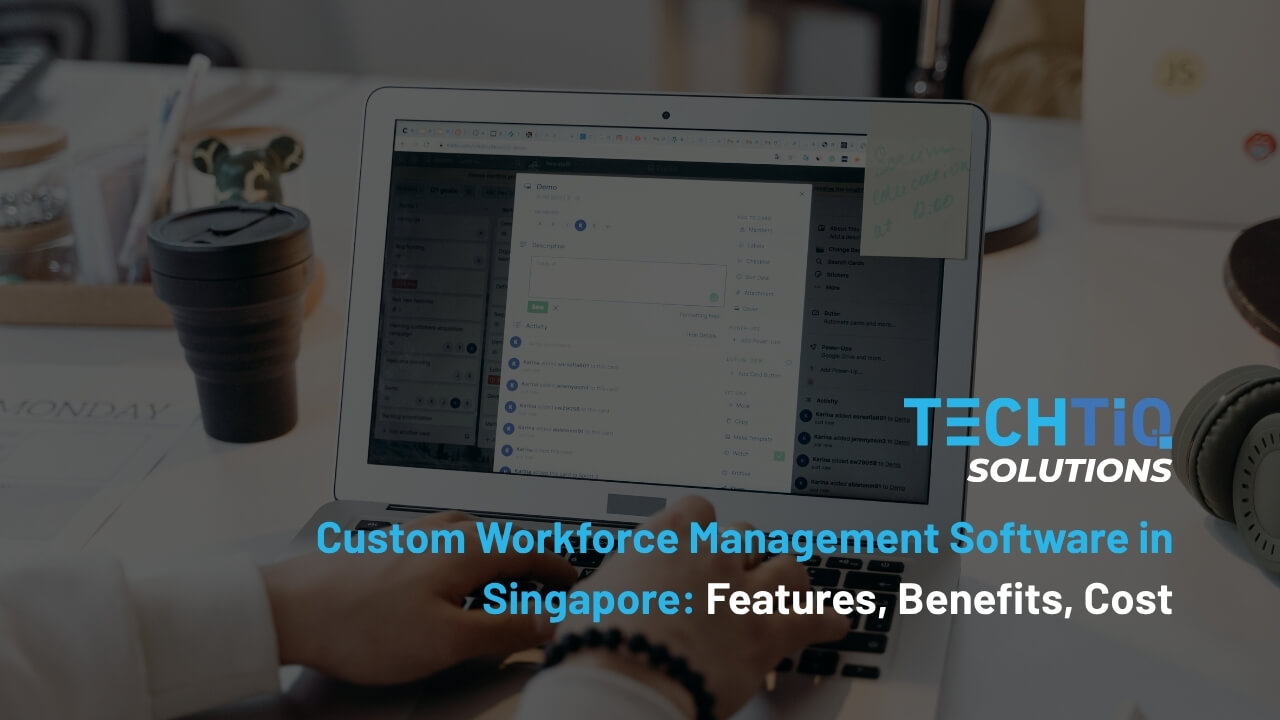
Managing a workforce gets harder as a company grows. More staff means more shifts, more rules, and more data to keep in order.
When these tasks run on manual tools, errors become common. Rosters fall out of date, payroll needs constant fixes, and managers lose time they could spend on the business.
Workforce management software brings these tasks into one system. At TechTIQ Solutions, we build custom platforms that fit how Singapore companies work. This guide explains what the software does, its key features and benefits, the cost in 2026, and how to build one.
Key Takeaways
- Automate shift scheduling, time tracking, leave, and payroll in one system to cut manual HR work.
- Map MOM overtime rules and 2026 CPF rates into the system so every payslip stays accurate.
- Choose custom workforce management software development when your shift rules, client contracts, or integrations do not fit an off-the-shelf tool.
- Start with core modules, then add mobile access and AI forecasting as your workforce grows.
- Review your eligibility for the EDGE grant early, since the support level can change the final budget for your project.
What Is Workforce Management Software?
Workforce management software is a system that helps companies plan, track, and manage how employees use their working time. It covers shift scheduling, attendance, leave, and labor cost control.
Many teams shorten the name to WFM, so you will often hear it called workforce management WFM software in industry reports and product guides.
A workforce management system links these tasks to your payroll and HR data. Managers see who is working, where, and at what cost. Employees check their shifts, clock in, and apply for leave from one app.
What Are the Key Features of Workforce Management Software?
Most platforms share the same core modules. Here are the workforce management software features your business should look for.
Employee Scheduling and Shift Planning
Scheduling is the heart of every WFM platform. Managers build rosters based on demand, staff skills, and availability. Employees can swap shifts or bid for open slots from their phones.
Good workforce management scheduling software also checks each roster against labor rules. Under the Employment Act, employees covered by Part IV cannot work more than 12 hours a day or 72 overtime hours a month, according to MOM guidance on hours of work (2026). The system flags a shift before it breaks these limits.
Time Tracking and Attendance
Accurate clock-in data is the base of payroll. Staff can clock in with a mobile app, a QR code, a face scan, or a GPS check at the work site.
A reliable time tracking software for workforce management compares actual hours with planned shifts. Managers see late arrivals, missed punches, and unplanned overtime on one dashboard.
Leave and Absence Management
Employees apply for leave in the app, and managers approve it in a few clicks. The system updates leave balances and the roster at the same time.
Each leave type follows its own rules, such as annual leave, sick leave, and childcare leave. The system applies your company policy and Singapore leave entitlements automatically, so HR does not need to check every request by hand.
Payroll and CPF Integration
Attendance data flows straight into payroll. This removes manual data entry and the errors that come with it.
A strong workforce management payroll software module calculates overtime and CPF in one step. It applies the correct contribution rates for each age group and the right overtime rate for each eligible employee. When CPF rates change, HR updates the rules once, and every payslip follows the new figures.
MOM and PDPA Compliance Tracking
Employee records hold sensitive personal data. Your system needs access controls, audit logs, and clear data retention rules.
The risk is real. Since October 2022, the PDPC can fine organizations up to 10% of their annual Singapore turnover, or S$1 million, whichever is higher, under the Personal Data Protection Act. A workforce compliance management software module tracks consent, access, and policy changes so your team can show compliance during an audit.
Performance Tracking
WFM data shows more than hours worked. It also shows output per shift, attendance trends, and team productivity.
A workforce performance management software module turns this data into clear reports. Managers can spot top performers and coach teams that fall behind.
AI Forecasting and Labor Optimization
AI models study past sales, patient volume, or order data to predict staffing needs. Managers get a suggested roster before each week starts.
Modern AI workforce management software can also spot patterns like rising sick leave on certain days. This helps you act early.
Over time, these forecasts reduce both overstaffing and understaffing. Your labor budget follows real demand.
System Integrations
A WFM platform works best when it shares data with the tools you already use. Common links include HRIS, payroll, accounting, ERP, and access control systems.
An integrated workforce management system keeps employee data the same across every tool. HR updates a record once, and every connected system receives the change.
Benefits of Workforce Management Software for Singapore Businesses
Singapore companies usually see results in three areas: lower costs, faster HR work, and simpler compliance. Here is how each one plays out.
Lower Labor Costs
Staff costs are often the biggest expense for service businesses. Small gaps in the schedule can lead to a lot of extra overtime each year.
Forecasting helps you plan the right number of staff for each shift. You do not pay for extra people on quiet days or high overtime on busy days.
Less Manual Scheduling Work
Making rosters in spreadsheets can take managers hours each week. Every last-minute change means more calls and messages.
With workforce management automation software, the system creates rosters based on your rules. Managers only need to check and approve the final plan.
Fewer Payroll and Overtime Errors
Paper or manual timesheets often have missing hours and wrong overtime rates. Each mistake means fixing payroll and dealing with an upset employee.
When attendance data goes straight into payroll, there are fewer mistakes. CPF and overtime amounts follow the rules set in the system.
Easier Compliance with Singapore Employment Rules
Singapore employers must follow the Employment Act, CPF rules, and the PDPA. New rules on flexible work also started on 1 December 2024.
Companies that use workforce management software in Singapore can add these rules to their daily work. The system saves a record of each request, approval, and change, so checks and audits are much easier.
Real-Time Workforce Visibility
Managers need to know who is at work right now. Without live data, they only see staff gaps after customers or patients are affected.
A live dashboard shows attendance, open shifts, and staff costs for each location. Managers can move staff between sites on the same day.
Better Employee Experience
Staff want more control over their work hours. They also want quick answers about leave and pay.
An employee workforce management software app lets them check shifts, leave balances, and payslips on their own. This builds trust and means fewer questions for HR.
What Are the Types of Workforce Management Systems?
Workforce management system software comes in several forms. The right type depends on where your team works and how large it is.
| Type | Best for | Main strength |
| Cloud-based | Companies with several offices or sites | Access from any device, lower setup cost |
| Mobile and field | Teams that work on the move | GPS clock-in, live job updates |
| Enterprise | Large or multi-entity companies | Complex rules, deep integrations |
| Small business | Teams under 50 staff | Simple setup, core modules only |
Cloud-Based Systems
Most new WFM projects today run in the cloud. Data sits on secure servers, and users log in through a browser or app.
A cloud setup lowers hardware costs. Updates roll out to all users at once.
Many companies also choose a SaaS model. This means you pay a monthly fee per user to use a ready-made platform.
Mobile and Field Systems
Some teams never sit at a desk. Technicians, drivers, cleaners, and security officers need tools that work on their phones.
A mobile workforce management software app lets staff clock in, view jobs, and send updates from any location.
For technicians who travel between client sites, field workforce management software adds job dispatch, route planning, and photo proof of work.
Hybrid office teams have different needs. Remote tools track online hours, project time, and team availability across locations.
Enterprise Systems
Large companies often run several entities, sites, and pay structures. They also deal with union terms and complex approval chains.
An enterprise-grade software handles these rules at scale. It connects with ERP, finance, and HR systems across the group.
Systems for Small Business
Small teams need the basics done well. Scheduling, attendance, and leave are usually enough to start.
A simple setup keeps costs low and training short. You can add more modules as the company grows.
How Do Different Industries Use WFM Systems?
Every industry has its own staffing rules. The examples below show how the same core modules adapt to each one.
HR and Staffing Agencies
HR teams and staffing agencies manage people at a large scale. An agency may place workers with many clients, and each client has its own pay rates, shift rules, and billing terms.
HR workforce management software brings these details into one place. HR can assign workers to clients, track their hours, and approve leave without switching between tools.
Timesheets also link to client contracts. Payroll and client invoices use the same approved hours, so pay and billing always match.
For agencies with complex rules, a custom build is often the best fit. Our HR software development services for Singapore businesses cover workforce, payroll, and agency platforms built around your own processes.
Other Shift-Based Industries
The same core modules also support other sectors with large shift-based teams.
| Industry | Main staffing need | How the software helps |
| Healthcare | 24/7 shifts with the right mix of nurses, doctors, and support staff | Healthcare workforce management software matches skills and licenses to each ward and tracks rest hours |
| Retail | Store traffic that changes by hour and season | Retail teams use it to plan shifts from sales data and lets part-time staff pick up open shifts |
| Logistics | Sharp peaks in order volume | Workforce management software for logistics plans shifts around order flow and tracks driver hours |
| Manufacturing | Fixed shifts and strict skill needs | Manufacturing workforce management software assigns workers to lines by skill and tracks overtime |
Off-the-Shelf or Custom Workforce Management Software: Which Fits Your Business?
Both paths can work. The best choice depends on how standard your workforce rules are and how fast your company plans to grow.
| Factor | Off-the-shelf platform | Custom-built system |
| Setup time | Days to weeks | Usually 3 to 9 months |
| Upfront cost | Low | Higher |
| Long-term cost | Monthly fee per user, rises with headcount | Fixed build cost plus maintenance |
| Fit with your rules | Limited to built-in settings | Built around your exact rules |
| Integrations | Standard connectors only | Any system you use |
| Data ownership | Stored on the provider’s platform | Fully owned by your company |
An off-the-shelf tool suits small teams with simple shift patterns. It is also a good way to test what your business needs from a WFM system.
A custom system makes sense when your rules are complex. Staffing agencies with many client contracts, hospitals with license-based rosters, and groups with several entities often reach the limits of ready-made tools.
How to Build Custom Workforce Management System in Singapore
A clear process keeps your project on time and on budget. Here are the five steps we follow with our clients.
1. Map Your Workforce Rules and Requirements
Start by listing every rule your roster and payroll must follow. This includes shift patterns, overtime rules, leave policies, and client contract terms.
Talk to managers, HR, finance, and frontline staff. Each group sees a different part of the problem.
2. Design User Roles and Workflows
Define who can do what in the system. A store manager, an HR admin, and a part-time worker each need a different view.
Map each workflow from start to finish, such as a leave request or a shift swap. Clear workflows make the system easy to use and easy to test.
3. Build the Core Modules First
Focus the first release on scheduling, attendance, and leave. These modules deliver value fast and give your team time to adapt.
A phased release lowers project risk. You collect real feedback before you invest in advanced features.
4. Integrate with Payroll, HRIS, and ERP Systems
Connect the platform to the systems your business already runs. Common links include payroll, accounting, HRIS, and access control.
For custom workforce management software development in Singapore, plan for local needs early. These include CPF calculations, MOM leave rules, and PDPA data controls.
5. Test, Launch, and Scale
Test the system with one team or one site first. Fix issues before you roll it out across the company.
After launch, add new modules like AI forecasting or mobile dispatch. Plan for regular updates as your rules and headcount change.
How Much Does Workforce Management Software Cost in Singapore?
The cost of workforce management software depends on the modules you need, the rules the system must follow, and the tools it must connect to. A custom build has a clear upfront cost and no per-user fees after launch.
At TechTIQ Solutions, most custom projects fall into two price ranges. A standard system with scheduling, time tracking, leave, and an employee app costs between S$20,000 and S$30,000. This range suits SMEs and agencies with clear and stable workflows.
Larger projects need more modules and more links to other systems. A platform with payroll and CPF rules, client billing for staffing agencies, and AI shift forecasting usually costs between S$40,000 and S$100,000. Forecasting features are built with AI and machine learning development that learns from your past staffing data. The final price depends on your rules, the number of integrations, and how much data you need to move.
Eligible Singapore SMEs can reduce this investment through the EDGE grant. We partner with approved grant consultants, so you can plan both the build and the grant application with the same team.
Build Your Custom Workforce Management System with TechTIQ Solutions
TechTIQ Solutions builds each workforce system for one client at a time. We do not sell ready-made WFM products or software licenses.
We start by mapping your roster rules, pay structures, and approval steps. Then we design and build a workforce management software solution around them. Your company owns the code, so a bigger headcount never adds per-user fees.
You may need human resource workforce management software for an internal HR team or a full platform for a staffing agency. In both cases, the system follows Singapore rules for CPF, MOM, and PDPA. Share your current HR process with us, and we will show you how a custom system can cut manual work for your team.
Our custom software development team in Singapore handles discovery, UI and UX design, development, data migration from your current tools, and support after launch.
Contact us today to get a clear scope, timeline, and cost estimate for your project.
Frequently Asked Questions (FAQs)
What does WFM stand for in workforce management?
WFM stands for workforce management. It is the process of planning, scheduling, and tracking employees to meet business demand. WFM workforce management software puts this process into one digital system. Managers can handle rosters, attendance, leave, and labor costs in one place, with less manual work and fewer errors.
Is WFM software the same as HRIS or HRMS?
They are related but different. An HRIS stores employee records like personal details, contracts, and job history. An HRMS adds HR processes such as recruitment and performance reviews. A WFM system focuses on working time and labor cost.
Is workforce management software suitable for small businesses?
Yes. Small teams often see results first, because one manager usually handles scheduling, attendance, and leave alone. The main workforce management system benefits for small businesses are less admin time, fewer payroll errors, and clear records for MOM checks. Start with core modules and add more as you grow.
How long does it take to build custom workforce management system software?
A core system with scheduling, attendance, and leave usually takes 3 to 4 months. Larger systems with payroll, mobile apps, and AI forecasting can take 6 to 9 months. A phased approach to custom workforce management software development helps you go live sooner.
How does workforce management software development fit into a digital transformation plan?
It is often one of the first steps. Moving rosters, timesheets, and leave from spreadsheets into one system gives you clean data that other tools can use later. An automated workforce management system also connects with payroll, finance, and HR tools. Our digital transformation support for Singapore businesses helps you plan these changes in the right order.
Turn Workforce Data into Better Staffing Decisions
Managing people well takes more than a good roster. It takes accurate data, clear rules, and a system your managers and staff actually use.
The right workforce management software brings scheduling, attendance, leave, and payroll together. It cuts manual work, lowers labor costs, and keeps your business in line with MOM, CPF, and PDPA rules.
If ready-made tools no longer fit your rules, a custom build gives you full control over features, data, and future growth.
Ready to get started? TechTIQ Solutions is here to help. Reach out to us to talk about the workforce system your business needs.


Related articles
What Is HRIS? Features, Costs, and Grants for Singapore HR
 Bruce Pham
  21 Oct 2026
What Is HRMS? A Complete Guide to Human Resource Management Systems in Singapore
17 Oct 2026 
Warehouse Management System (WMS) in Singapore Logistics 2026
13 Oct 2026 
School Management System (SMS) Guide for Singapore Schools 2026
07 Oct 2026 
Fleet Management System (FMS) Guide 2026: Features, Benefits & Singapore Rules
01 Oct 2026 
Learning Management System (LMS) Guide for Singapore Education (2026)
15 Sep 2026 
What Is a Transportation Management System (TMS)?
04 Sep 2026 
What Is Inventory Management Software and How Does It Work?
08 Aug 2026 
Which Is the Best Payment Gateway in Singapore? Top 7 Providers in 2026
17 May 2026 


