
Cloud Migration Services

Google Workspace to Microsoft 365 Migration

IT

Moving an entire organization to a new platform is never simple. Emails, files, calendars, and access permissions all have to land in the right place, for the right people, without breaking daily operations.


This project required a full migration from Google Workspace to Microsoft 365 for over 350 users, with zero tolerance for data loss or business disruption.


A phased, structured approach kept every team running throughout the transition. Data integrity was maintained, access permissions carried over correctly, and users were supported from day one in the new environment.

Share
Overview Image

Key Features

This migration covered every layer of the organization's collaboration ecosystem, from email and file storage to user identity and day-to-day workflows. 

  • Email and Calendar Migration: All Gmail mailboxes and Google Calendar data were migrated to Microsoft Exchange Online, keeping folder structures and attachments intact. 
  • File and Document Migration: Documents were moved from Google Drive to SharePoint Online and OneDrive for Business, with access permissions and collaboration settings preserved throughout. 
  • User and Group Management: User accounts and groups were synchronized from Google Workspace to Microsoft Entra ID, including new account creation and permission assignment. 
  • User Training and Support: Detailed training sessions and quick-start guides were provided to help users adapt to the Microsoft 365 environment quickly and confidently. 

Our Technologies

To execute a migration of this scale, we used a combination of Microsoft 365 native tools, automation scripting, and enterprise-grade platforms designed for security, data integrity, and minimal disruption.

  • Migration Tools: Microsoft 365 built-in migration tools, specialized third-party migration tools 
  • Automation: PowerShell Scripting, Microsoft Graph API 
  • Identity and Access Management: Microsoft Entra ID 
  • Email and Calendar: Microsoft Exchange Online 
  • File and Document Management: Microsoft SharePoint Online, Microsoft OneDrive for Business 
  • Communication and Collaboration: Microsoft Teams 
  • Security and Compliance: Microsoft Purview (Data Loss Prevention) 

Challenges

  • Complex Data Synchronization: Migrating data between two distinct ecosystems required careful handling to maintain integrity across emails, files, calendars, and folder structures. 
  • Minimal Business Disruption: The migration had to run in parallel with daily operations. Any downtime or data unavailability would directly impact productivity across 350+ users. 
  • Consistent Access Permissions: Replicating access settings from Google Workspace to Microsoft 365 at scale was technically complex, with a high risk of permission mismatches if not handled precisely. 
  • User Resistance: Switching platforms affects daily habits. Some users needed extra time and support to adapt to the new interface and workflows. 
  • Email and Attachment Migration: Large emails with heavy attachments required special handling to avoid data loss or corruption during transfer. 
  • Function Configuration: Not all Google Workspace functions map directly to Microsoft 365. Existing workflows had to be reviewed and reconfigured to prevent functionality gaps. 
Challenges Image
Solutions Image

Solutions

  • Phased Migration Plan: Migration was tested on a small group of users first. Specialized tools verified data accuracy and integrity before full deployment. This approach caught issues early and reduced risk across the full rollout. 
  • Step-by-Step Rollout: A structured, staged rollout kept business operations running smoothly throughout the migration. Each phase was completed and validated before moving to the next group of users. 
  • Automated Permission Management: PowerShell Scripting and Microsoft Graph API automated access permission tasks at scale. Post-migration QA verified that all access settings were correctly applied and consistent across all accounts. 
  • User Training and 24/7 Support: Detailed training sessions and quick-start guides helped users adapt to Microsoft 365 quickly. Round-the-clock support was available to resolve issues and reduce productivity loss during the transition period. 
  • Full Email and Calendar Migration: All Gmail mailboxes and Google Calendar data were migrated to Exchange Online with folder structures and attachments intact. No data was left behind. 
  • Function Mapping and Testing: Google Workspace functions were mapped to their Microsoft 365 equivalents before migration. Custom settings and automation scripts were applied to maintain workflow consistency and close any functionality gaps. 

Reporting

TechTIQ Solutions

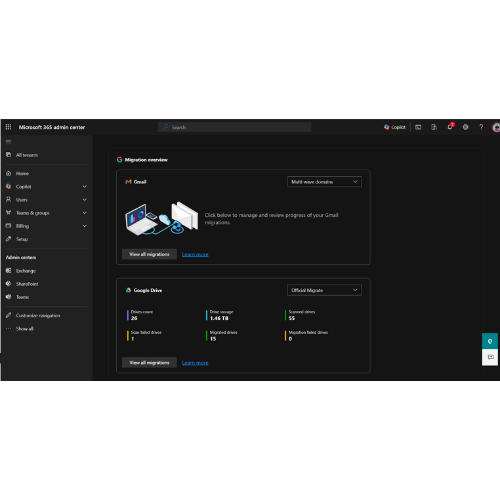
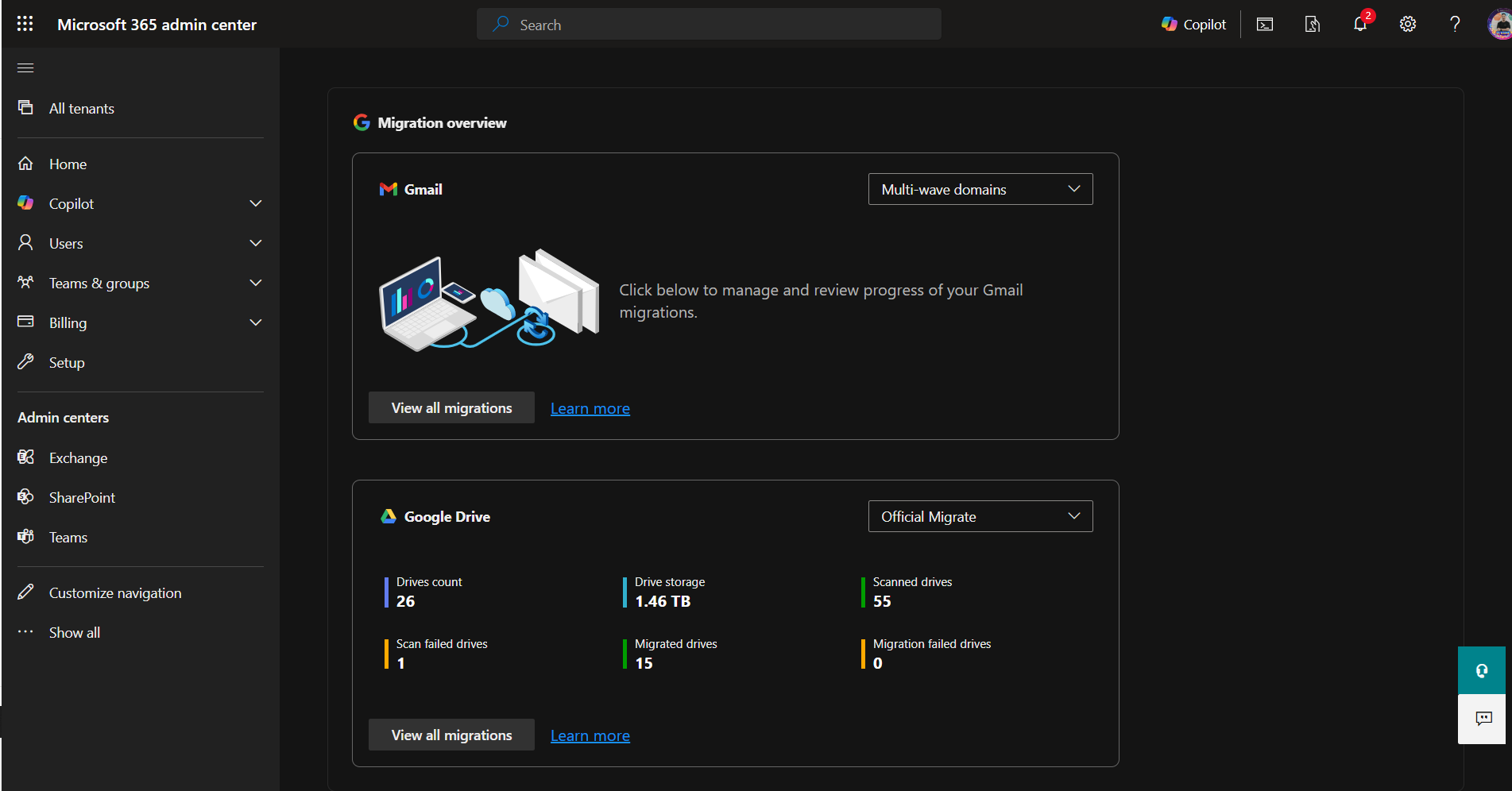
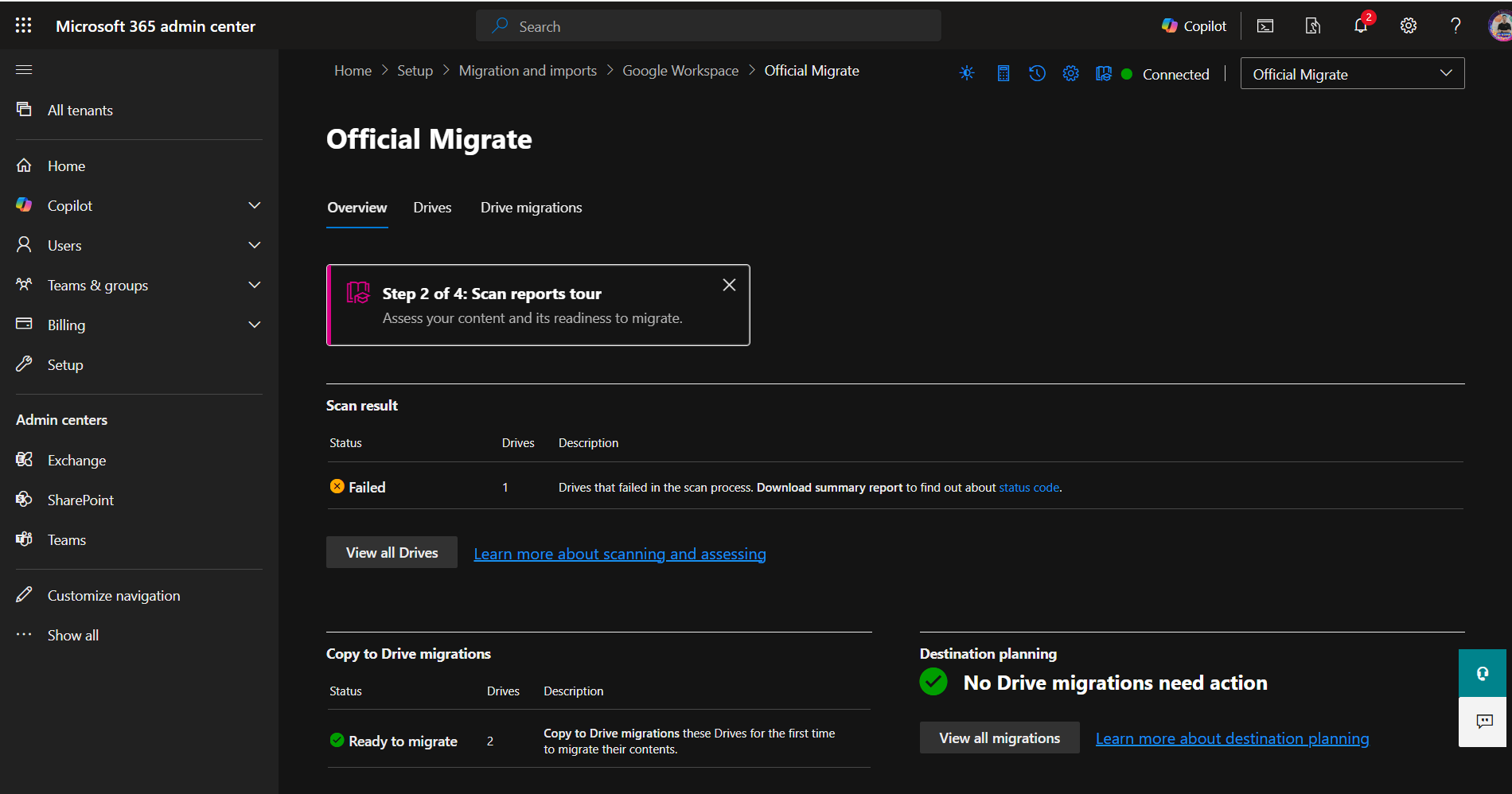
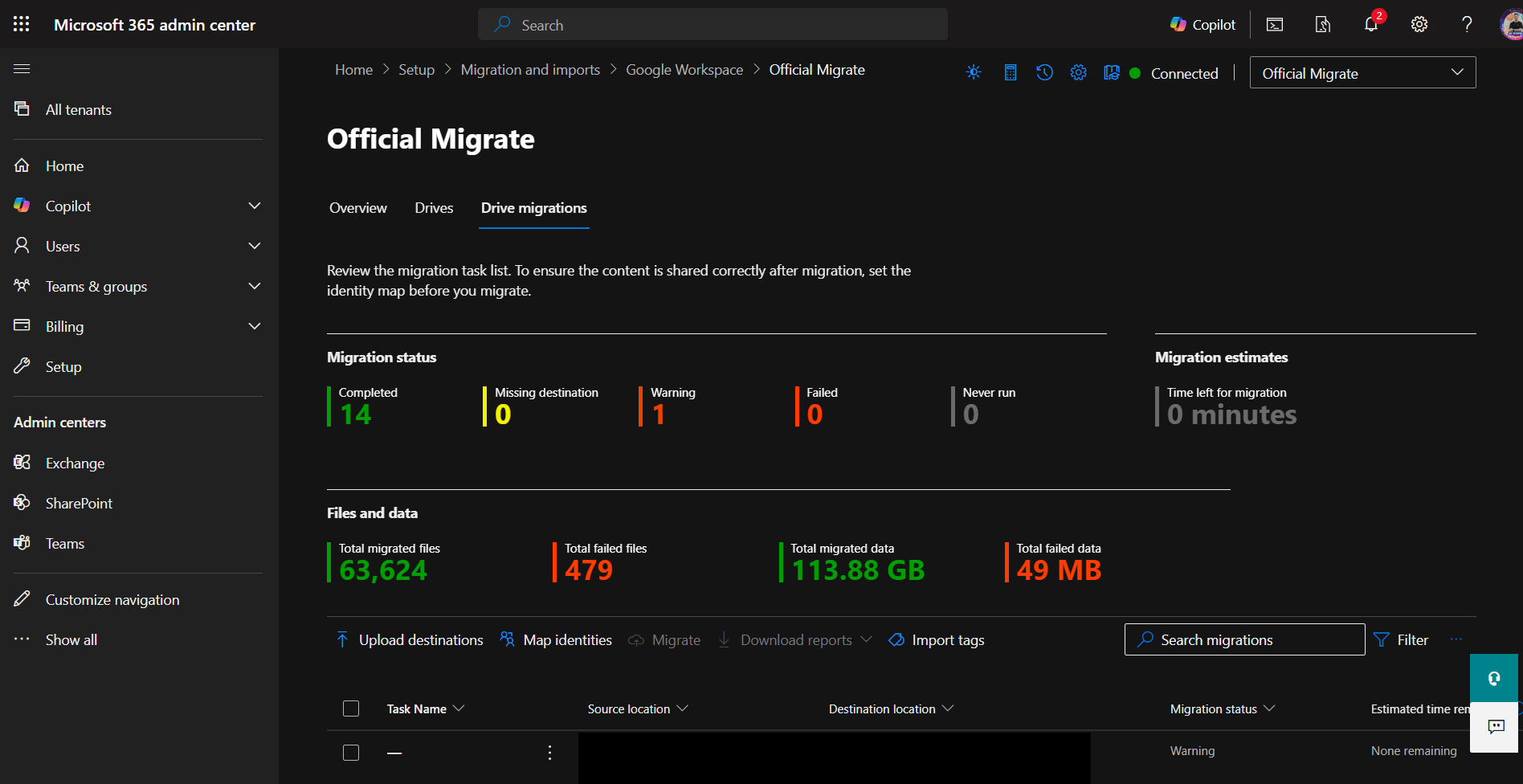
Migration tools automatically generated detailed reports on the status of each migrated item, including emails and files. Reports tracked successful and failed items, along with any errors encountered during the process. 

The QA team performed manual and automated checks after migration to verify data integrity, access permissions, and folder structures across SharePoint and OneDrive. All discrepancies were identified, documented, and resolved before final handover.

Building A Team

A dedicated team of experts was assembled to manage every stage of the migration, from planning and execution to validation and user support. 

Feature Image

Managed timelines, risks, and progress throughout the migration process. 

Designed and built the new system architecture on Microsoft 365. 

Validated every migrated element for accuracy and data integrity. 

Handled user training and post-migration assistance. 

Why Partner With Us

Technical Expertise: Large-scale platform migrations require deep technical knowledge and hands-on experience. Our team has delivered complex migrations across diverse enterprise environments, with a structured approach that covers every layer of the process.

Effective Project Management: Every migration is managed with detailed planning, clear timelines, and proactive risk management. Progress is tracked at every stage, so nothing falls through the cracks.

Minimal Business Disruption: Migrations are executed in phases to keep business operations running throughout the transition. Downtime is planned, minimized, and communicated in advance.

Post-Deployment Support: Technical support continues after migration is complete. Any issues that arise post-handover are handled quickly to keep teams productive.

Data Security: Best practices for data protection are applied at every stage of the migration process, from initial assessment through to final validation.

Related Projects

Do you need specific Case studies for Your industry?

We are always ready to assist you. Reach out to us today
Back2Top