


10 Best AI Coding Assistant Tools In 2026

 Updated on Oct 01, 2026
The Stack Overflow Developer Survey shows 84% of developers now use or plan to use AI tools at work, with 51% using them daily. For Singapore engineering teams in 2026, the real question is no longer whether to adopt an AI coding assistant, but which one.
That choice keeps getting harder. New tools launch every month, vendors all promise faster delivery, and your developers argue over Cursor versus Claude Code in Slack. Meanwhile, your security lead still needs to know where the code goes, especially under PDPA and MAS rules.
This guide gives you a clear answer. At TechTIQ Solutions, we tracked how the leading options perform across modern engineering workflows. Below, you will see the 10 best AI coding assistant tools for 2026, how they compare, what they cost, and which one fits your team.
Key Takeaway
- Match the tool to your stack first. Teams on GitHub get the most value from Copilot, AWS shops fit Amazon Q Developer, and Google Cloud users align with Gemini Code Assist.
- Pick agentic tools for complex work. Cursor, Windsurf, and Amazon Q Developer lead in 2026 for multi-file edits, planning, and parallel agent workflows.
- Prioritize privacy for regulated sectors. Tabnine, Sourcegraph Cody, and JetBrains AI Assistant offer on-prem, VPC, or air-gapped deployment for PDPA and MAS-regulated Singapore teams.
- Go open-source for full control. Aider keeps every change Git-tracked and supports BYO model keys with zero vendor lock-in.
- Budget for usage, not just seats. Pricing ranges from free (Aider, Windsurf core) to $200/month per power user. Watch out for credit-based plans that spike with heavy agent runs.
What Is an AI Coding Assistant?
An AI coding assistant is a software tool that uses artificial intelligence to help developers write, review, debug, and refactor code. It reads natural language prompts, analyzes the surrounding code context, and returns code suggestions, edits, tests, or explanations directly inside the editor, IDE, or terminal.
A modern AI coding assistant performs four core functions:
- Code generation: writes new code from a natural language prompt.
- Code completion: predicts and finishes the next line or block as you type.
- Code explanation: describes what a function, file, or repository does.
- Code transformation: refactors, debugs, translates between languages, or generates tests.
The right coding AI assistant depends on your stack, your security posture, and how much autonomy you want the tool to have. A solo developer building a side project needs a different setup from a Singapore fintech team shipping PDPA-compliant features every week.
Key Features to Look for in the Best AI Coding Assistant
Picking the best coding AI assistant is less about feature count and more about fit with how your team actually works. Here are the features that matter most in 2026.
1. Code Completion and Multi-File Editing
Inline autocomplete is table stakes now. What separates strong tools from weak ones is how well they handle multi-file edits, refactors, and changes that span across folders. Look for tools that show diff previews before applying anything, so your team stays in control.
2. Context Awareness Across Your Codebase
A good AI coding assistant reads more than the open file. It pulls context from your full repository, related modules, and project conventions to keep suggestions aligned with how your code is actually written. Tools with RAG indexing or repo-wide search outperform tools that only see what is on screen.
3. Agentic Capabilities
Agentic coding is the biggest shift in 2026. Instead of typing every prompt yourself, the assistant plans the work, runs the steps, and asks for approval at key points. For complex tasks like migrations or test scaffolding, this changes how much you can offload.
4. IDE, Editor, and Terminal Coverage
Your team probably uses more than one editor. Check that the assistant supports VS Code, JetBrains IDEs, and any terminal-driven workflows your engineers rely on. Strong CLI support matters for CI/CD pipelines and automation.
5. Model Flexibility and BYO-Key Support
The model behind the assistant matters as much as the UI. Tools that support multiple providers (Anthropic, OpenAI, Google, DeepSeek, or local models) give you room to balance cost, speed, and quality. Bring-your-own-key options also help you control LLM spend directly.
6. Security, Privacy, and Compliance
For Singapore teams under PDPA or MAS FEAT principles, this is non-negotiable. Check where your code is sent, how prompts are logged, and whether the vendor supports self-hosted, VPC, or air-gapped deployment. Look for SOC 2, ISO 27001, and IP indemnification on enterprise plans.
7. Pull Request and Code Review Support
Some tools focus on writing code. Others focus on reviewing it. Pull request automation, diff Q&A, and pre-merge compliance checks save real engineering hours when your team ships a lot of PRs.
8. Pricing Transparency
Avoid tools where the real cost is hard to predict. Watch for usage-based pricing that can spike, hidden token charges on top of seat fees, and overage models that punish heavy users. Transparent pricing with clear caps is worth a small premium.
How We Evaluated the Best AI Coding Assistant Tools
Picking 10 tools from a fast-moving market is easier said than done. With dozens of new AI coding assistant launches every quarter, hype alone is not a reliable signal. Here is the process we used to narrow the list down for Singapore engineering teams in 2026.
Market Adoption and Developer Trust
We prioritized tools with active user bases, frequent updates, and visible traction across GitHub stars, developer surveys, and enterprise case studies. A tool with no community usually means slow fixes and limited integrations.
Performance Across Real Engineering Tasks
We weighed how each tool handles the work that actually fills a sprint. That includes multi-file refactors, repo-wide context, agentic task execution, and longer engineering work, not just one-line autocomplete.
Workflow Fit, Not Just Model Quality
A great model means little if the tool slows you down. We scored how cleanly each option fits into VS Code, JetBrains IDEs, terminals, and CI pipelines. Friction in daily use was weighted as heavily as raw capability.
Flexibility for Teams With Specific Constraints
Singapore teams often have hard requirements around cost, data, and tooling choice. We rewarded tools that let you bring your own model keys, run open-source backends, or self-host when needed.
The 10 Best AI Coding Assistant Tools in 2026
Ask ten engineers which AI coding assistant they swear by, and you will hear ten different names. The best coding AI assistant for a solo developer is rarely what a Singapore fintech team needs at scale. Your stack, your security rules, your budget, and how much autonomy you want all shape the answer.
That is why we built this list. GitHub Copilot leads for teams already on GitHub. Cursor AI coding assistant wins when you want a full editor built around AI. Aider AI coding assistant is the quiet favorite for Git-friendly refactors.
Below, we rank the 10 tools that matter most in 2026. Each entry covers standout features, what works, what does not, and what you will pay.
10 Best AI Coding Assistant Tools 2026: Quick Summary
| Tool | Type | Deployment | Runs in | Highlights | Privacy & Security | Pricing | Best for |
| GitHub Copilot | Closed | SaaS | VS Code, Visual Studio, JetBrains, Neovim, GitHub.com, CLI | Inline completion, Copilot Chat, PR automation | No training on customer code, enterprise audit logs, repo exclusions | Free / $10 Pro / $19 Business / $39 Enterprise | Teams already on GitHub |
| Cursor | Closed | SaaS (AWS) | Desktop AI IDE, CLI | Agent mode, multi-file edits, Bugbot PR review, MCP support | SOC 2 Type II, team-wide privacy mode, SSO | Free / $20 Pro / $40 Teams / Custom Enterprise | AI-first editor for fast iteration |
| Amazon Q Developer | Closed | SaaS (AWS) | VS Code, Visual Studio, JetBrains, Eclipse, CLI, AWS Console, Slack, MS Teams | Agentic coding, AWS context, Java, and .NET modernization | IAM Identity Center, IP indemnity on Pro | Free tier + $19 Pro | Teams running production on AWS |
| Google Gemini Code Assist | Closed | SaaS (Google) | VS Code, JetBrains, Android Studio, CLI | Large context window, Agent Mode (preview), Android, and GCP integrations | Enterprise governance, IP indemnification, code citations | Free / $22.80 Standard / $54 Enterprise | Android and Google Cloud teams |
| Sourcegraph Cody | Closed | Self-hosted or single-tenant cloud | VS Code, JetBrains, Visual Studio (exp), Cody Web, CLI | Full-repo RAG, multi-repo context, governed LLM access | Self-hosted, single-tenant cloud, no training on customer code | Enterprise from $16K | Large monorepos and multi-repo orgs |
| JetBrains AI Assistant | Closed | SaaS or on-prem (Enterprise) | JetBrains IDEs | Native refactors, Junie agent, Mellum model, multi-provider routing | No training on customer code, on-prem, and air-gapped options | Free / $10 Pro / $30 Ultimate / $60 Enterprise | Teams standardized on JetBrains IDEs |
| Tabnine | Closed (privacy-first) | SaaS, VPC, on-prem, air-gapped | All major IDEs, CLI | Multi-LLM choice, Enterprise Context Engine, agentic workflows | Zero code retention, GDPR/SOC 2/ISO 27001, IP indemnification | $39 Code Assistant / $59 Agentic | Privacy-strict teams in regulated sectors |
| Windsurf (Devin Desktop) | Closed | SaaS desktop app | Desktop IDE (macOS, Windows, Linux) | Agent Command Center, Cascade + Devin + Codex + Claude Agent, SWE-1.6 free | Enterprise plans available | Free / $20 Pro / $200 Max / $80 + $40/seat Teams | Teams running parallel multi-agent workloads |
| Aider | Open source | Local (CLI) | Terminal integrates with any editor | Git-first diffs, codebase map, multi-file refactors, BYO model | Local execution, BYO API key, no vendor data flow | Free (open source), pay model API only | Terminal-driven, Git-based refactors |
| Qodo | Closed | SaaS, single-tenant SaaS, on-prem, air-gapped (Enterprise) | VS Code, JetBrains, CLI, GitHub, GitLab, Bitbucket, Azure DevOps | PR Compliance Guide, rules engine, multi-repo RAG indexing | Strict data retention, BYOK on Enterprise, on-prem options | 14-day trial / $0.012/credit Pro Team / Custom Enterprise | High-PR-volume teams with CI/CD workflows |
1. GitHub Copilot
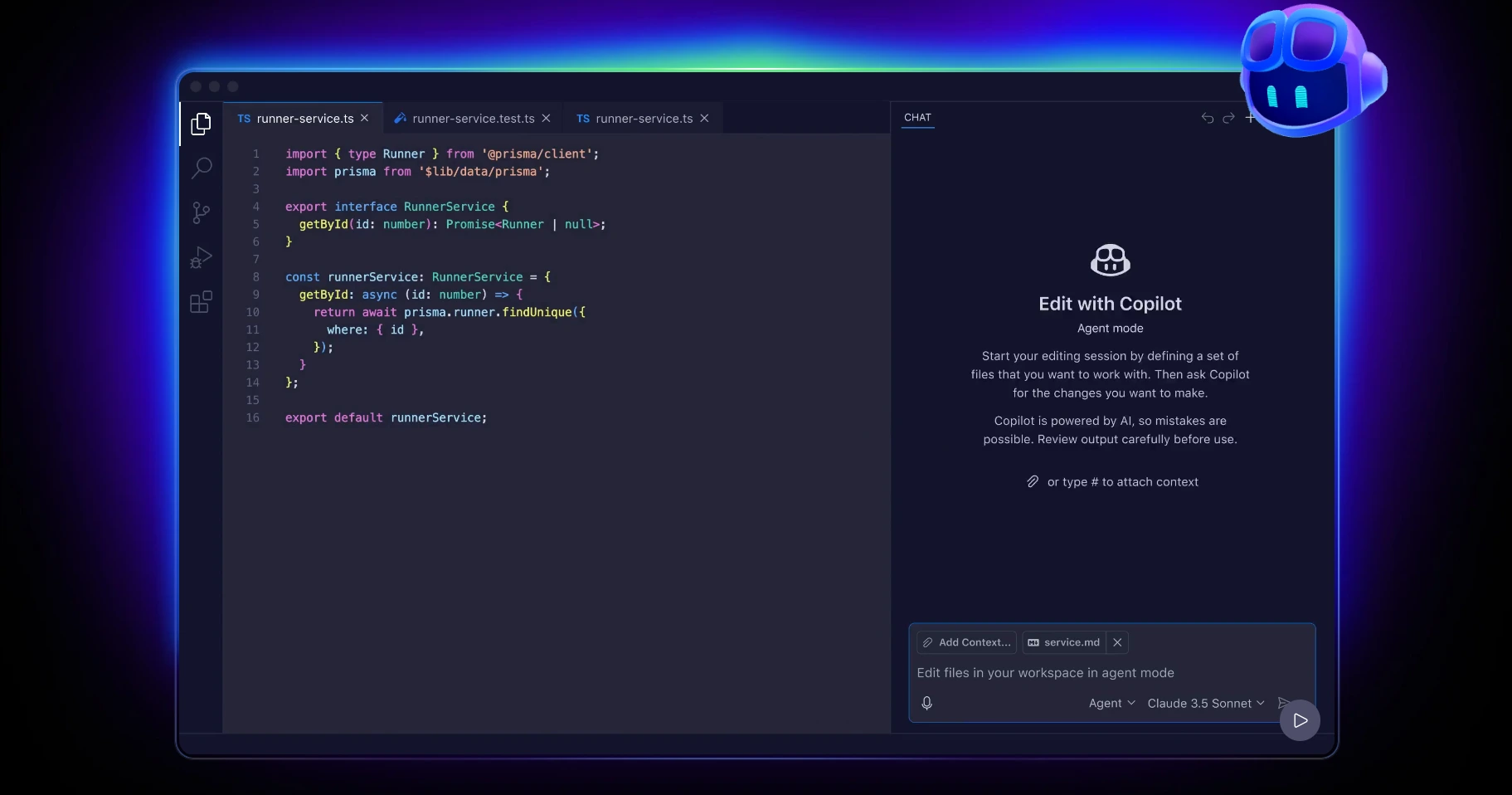
GitHub Copilot is a GitHub-built AI coding assistant that brings code completion, chat, and pull request automation directly into the editor and the repository. It runs inside Visual Studio Code, Visual Studio, JetBrains IDEs, Neovim, and GitHub.com, so developers get AI support across the full workflow without leaving their existing tools.
Copilot reads your open files, recent edits, and repository structure to keep suggestions aligned with your code. Copilot Chat handles explanations, debugging, and refactoring, while the PR features summarize changes, answer questions about diffs, and propose patchable review comments. For Singapore teams already on GitHub Enterprise Cloud, the rollout path is close to zero friction.
Standout Features
- Inline code completion and multi-line suggestions across major IDEs.
- Copilot Chat for explanations, refactors, debugging, and test generation.
- Pull request summaries, diff Q&A, and patch-ready review suggestions.
- CLI agent for terminal workflows and command explanations.
- Enterprise controls for policy management, audit logs, and repo-level exclusions.
Pros
- Deep GitHub integration covering repos, PRs, Actions, and Issues.
- Mature editor experience across nearly every popular IDE.
- Clear data policy. GitHub does not use customer prompts or code for model training.
- Easy adoption path for teams already on GitHub.
Cons
- SaaS only. No self-hosted Copilot edition is available.
- Advanced admin features require GitHub Enterprise Cloud.
- Workflow assumes GitHub. Teams on GitLab or Bitbucket get less value.
Pricing
- Free: limited monthly chat and completion quota.
- Pro: $10/month or $100/year for individuals.
- Pro+: $39/month or $390/year for power users.
- Business: $19/user/month.
- Enterprise: $39/user/month, billed through GitHub Enterprise Cloud.
Best for: Teams already standardized on GitHub who want AI inside the tools they use every day. Strong fit for Singapore SMEs and enterprises that prefer a low-friction rollout with mature governance controls.
2. Cursor
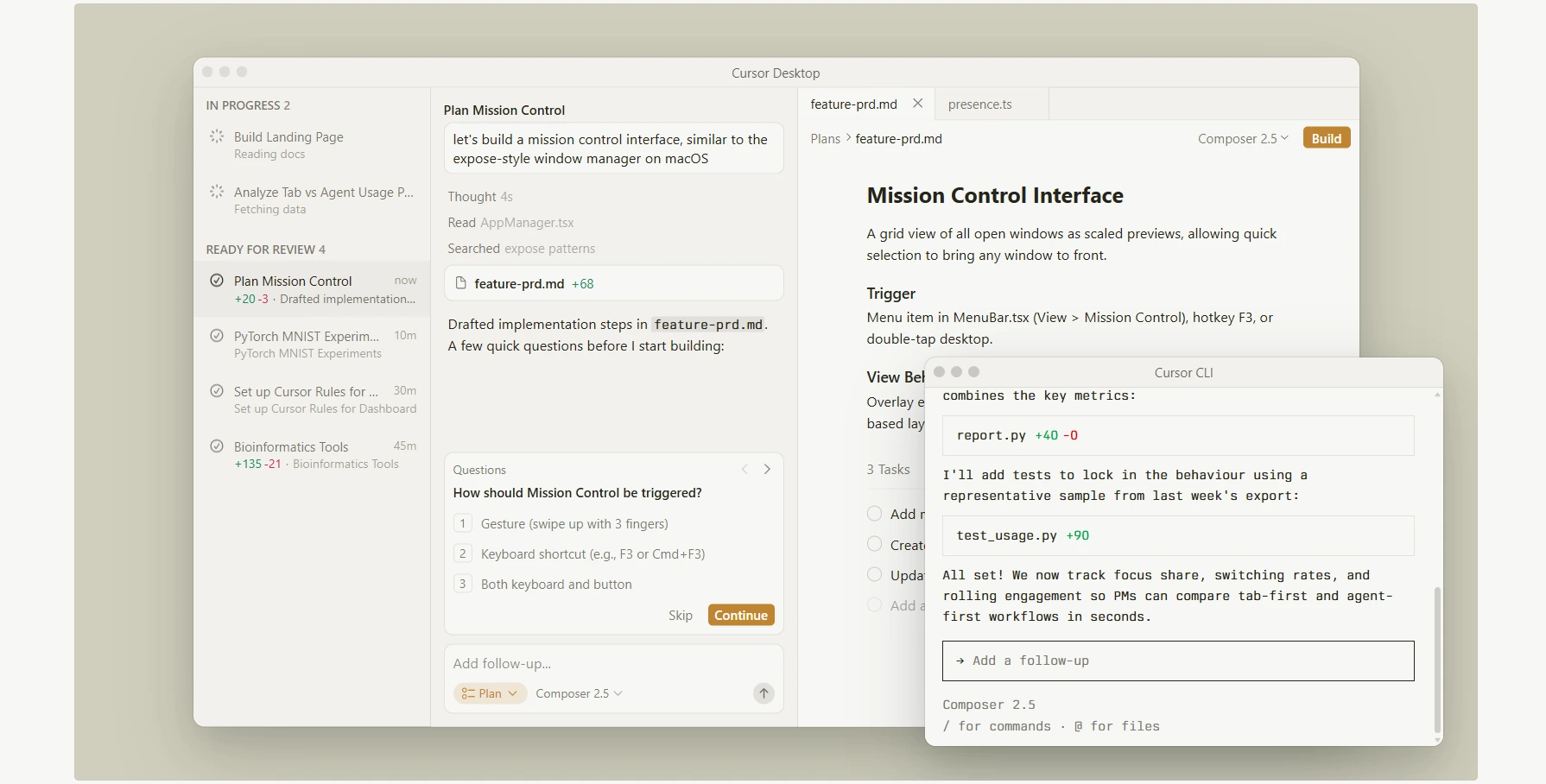
Cursor is an AI-first code editor that puts an AI coding assistant at the center of the workflow instead of bolting it on as a plugin. The editor is a fork of Visual Studio Code, so most extensions and keybindings carry over, but the AI features sit deeper in the experience. Among Cursor AI coding assistant features, agent mode, multi-file edits, and a CLI for terminal-driven tasks all come built in.
The agent reads your project, plans the change, runs the edit across multiple files, and shows you the diff before anything lands. Cursor also supports rules files like AGENTS.md, so teams can encode their conventions and keep suggestions consistent. For engineering leads in Singapore who want a single editor that handles everything from quick refactors to multi-day feature work, the Cursor AI coding assistant is one of the strongest options on the market.
Standout Features
- Agent mode for end-to-end tasks across multiple files with preview diffs.
- Smart rewrites, tab-through suggestions, and inline multi-line edits.
- CLI agent for terminal workflows and CI integration.
- AGENTS.md and rules files for team-wide coding conventions.
- Bugbot add-on for automated pull request reviews.
- MCP support, skills, hooks, and cloud agents for extended workflows.
Pros
- Fast loop from prompt to diff to applied change inside one editor.
- Familiar VS Code base lowers the learning curve.
- Handles very large codebases and teams at scale.
- Enterprise privacy options with SOC 2 Type II, team-wide privacy mode, and SSO.
Cons
- SaaS-first. No fully on-premise edition is offered.
- Power usage can push you past the included monthly credit fast.
- Bugbot runs on usage-based billing, which can add cost on top of subscription fees.
Pricing
- Hobby: free with limited Agent requests and limited Tab completions.
- Individual (Pro / Pro+ / Ultra): starts at $20/month, includes extended Agent limits, access to frontier models, cloud agents, and Bugbot on usage-based billing.
- Teams (Standard / Premium): $40/user/month with centralized billing, team-wide privacy mode, agentic code reviews with Bugbot, and SAML/OIDC SSO.
- Enterprise: Custom pricing with pooled usage, SCIM seat management, audit logs, and repository, model, and MCP access controls.
Best for: Teams that want a full AI-first editor for rapid iteration, multi-file refactors, and agentic work. Strong fit for product teams in Singapore that need speed without giving up enterprise privacy controls.
3. Amazon Q Developer
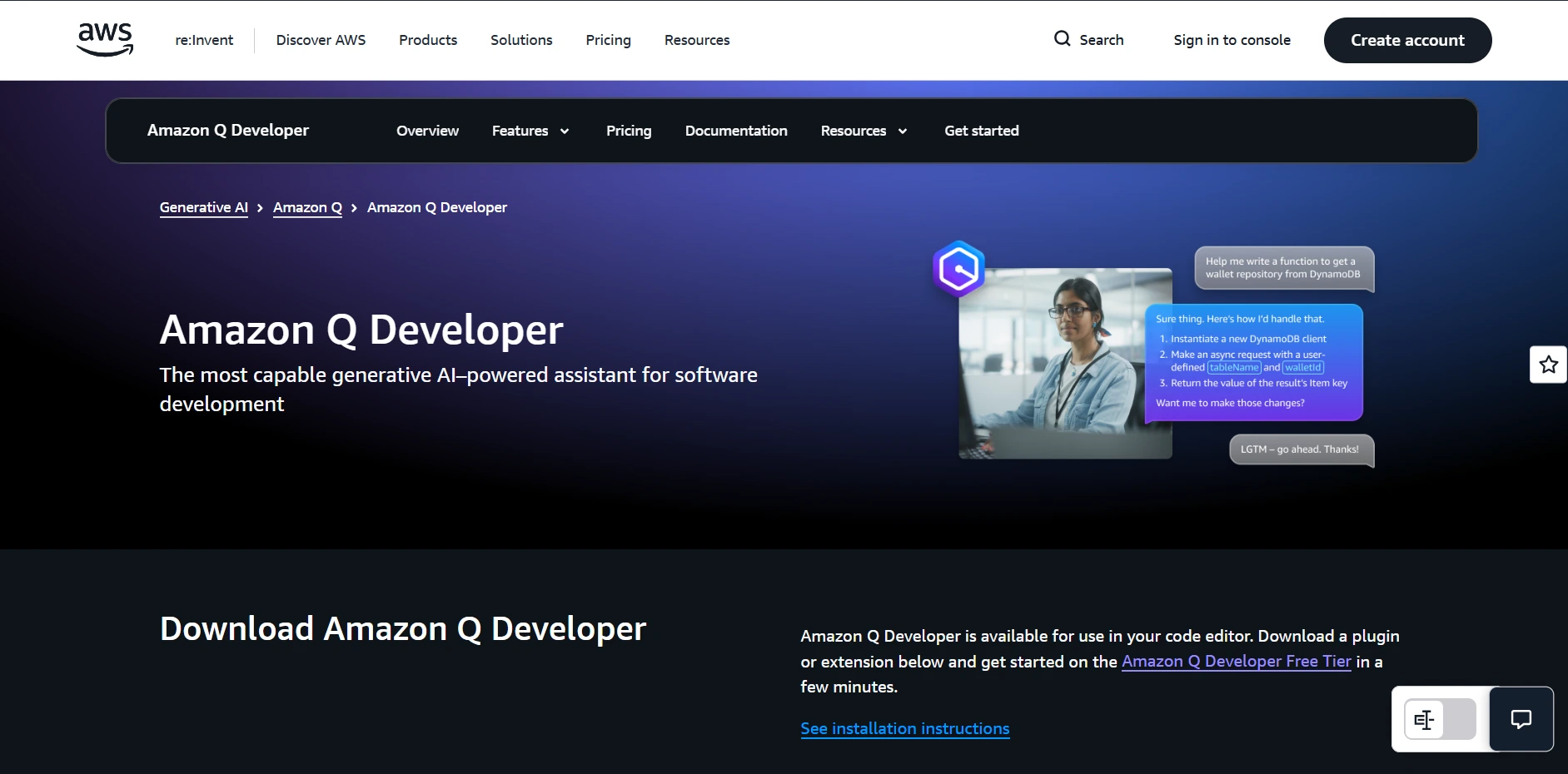
Amazon Q Developer is AWS’s AI coding assistant built for teams working heavily inside the AWS ecosystem. It runs across Visual Studio Code, Visual Studio 2022, JetBrains IDEs, and Eclipse, plus the terminal, the AWS Console, Slack, and Microsoft Teams. The tool pairs inline code suggestions with an agentic layer that can plan tasks, run shell commands, and modify multiple files.
What sets Amazon Q apart is how deeply it understands the AWS context. It can answer cost questions, explain architecture decisions, and help with incidents inside the AWS Console. The tool also ships with modernization agents for Java version upgrades, Oracle to PostgreSQL SQL conversion, and .NET porting from Windows to Linux. For Singapore teams running production on AWS, that depth of integration is hard to find elsewhere.
Standout Features
- Agentic coding for multi-step tasks with diff previews and live progress.
- Inline code suggestions and chat across major IDEs and the terminal.
- Security scanning, vulnerability detection, and pull request assistance.
- Documentation generation, including READMEs and AWS-specific Q&A.
- Modernization agents for Java upgrades, SQL conversion, and .NET porting.
Pros
- Deep AWS context across costs, architecture, IAM, and incidents.
- Built-in modernization workflows for Java and .NET migrations.
- Enterprise governance with IAM Identity Center, auditability, and IP indemnity on Pro.
- The Pro tier keeps proprietary code out of service improvement.
Cons
- Limited value for teams not running on AWS.
- Pricing is partly tied to lines of code, which can be hard to predict.
Pricing
- Free: 50 agentic requests per month and 1,000 lines of code transformation per month.
- Pro: $19/user/month with 4,000 lines of code transformation per user per month, pooled at the payer account. Overage at $0.003 per line. Adds admin dashboards, Identity Center support, and IP indemnity.
Best for: Engineering teams running production on AWS who want an IDE-integrated assistant plus ready-made agents for Java, .NET, and database modernization. Strong fit for Singapore companies that need security scanning and AWS Console assistance without stitching together separate tools.
4. Google Gemini Code Assist
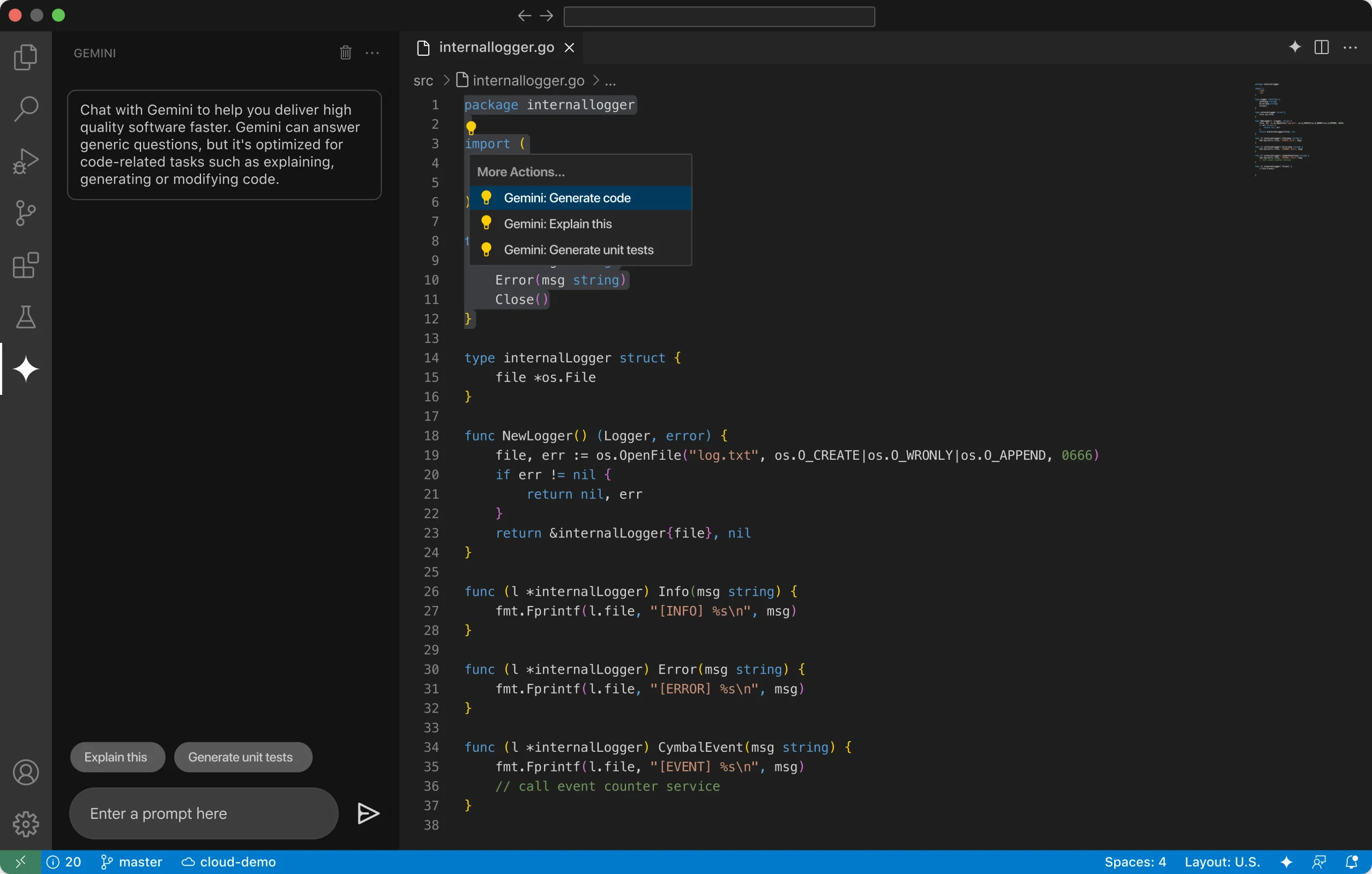
Built on Google’s Gemini model family, Gemini Code Assist brings AI coding support into Visual Studio Code, JetBrains IDEs, and Android Studio, with a Gemini CLI for terminal work. The tool also plugs directly into Google Cloud services, which makes it a natural fit for teams already building on GCP, Firebase, or Android.
Where Gemini Code Assist stands out is in reasoning over longer instructions and large codebases. The Enterprise tier uses Gemini’s large context window for in-depth local codebase understanding, which helps when changes span dozens of files. Agent Mode in preview can handle complex, multi-step tasks using system tools and Model Context Protocol (MCP) servers. For Singapore teams running workloads on GCP or shipping Android apps, the cloud integrations cut down on tool switching.
Standout Features
- Code completion, generation, debugging, and unit test support across major IDEs.
- Agent Mode for complex, multi-step tasks with MCP server support (preview).
- Android Studio supports code completion, generation, and conversational assistance.
- Cloud integrations across Firebase, BigQuery, Cloud Run, and Colab Enterprise.
- Gemini CLI for terminal-based workflows.
Pros
- Strong alignment with Google Cloud and Android development.
- Large context window on business tiers for reasoning over big codebases.
- Enterprise edition includes governance controls and IP indemnification.
- Code citation support helps surface source attribution.
Cons
- SaaS only. No self-hosted option is available.
- Agent Mode is still in preview, so features may shift.
- Most value sits with Android and GCP users. Teams outside that ecosystem get less.
Pricing
- Individuals: Free tier available for personal use.
- Standard: $22.80/user/month on monthly billing, or $19/user/month with a 12-month commitment.
- Enterprise: $54/user/month on monthly billing, or $45/user/month with a 12-month commitment.
Best for: Android teams and engineering organizations standardized on Google Cloud. Strong fit for Singapore companies building on GCP that want IDE-native AI plus terminal and cloud integrations under enterprise controls.
5. Sourcegraph Cody
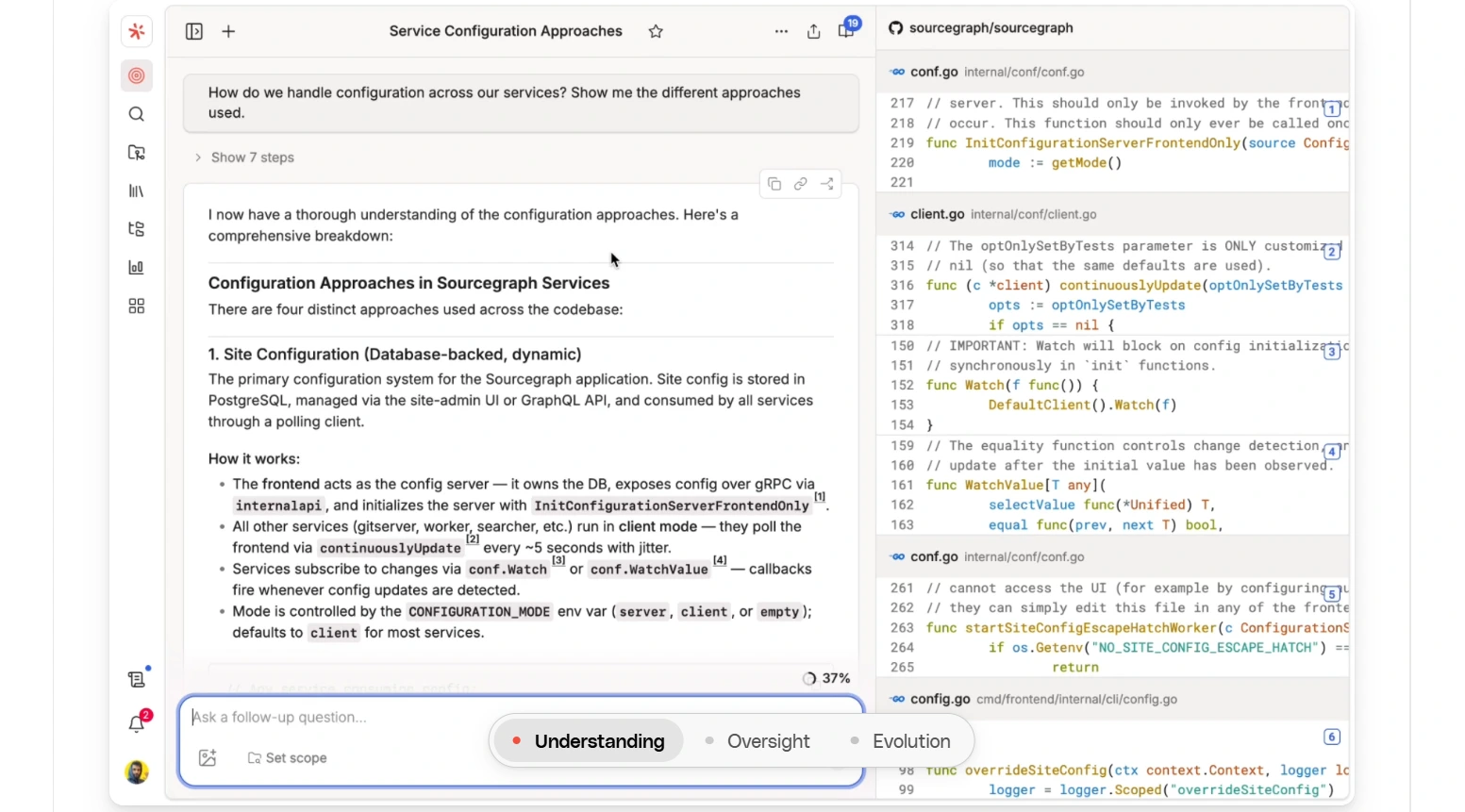
Sourcegraph Cody takes a different approach by grounding answers in your full codebase, not just the open file. It combines Sourcegraph’s code search and graph index with leading LLMs, and runs inside Visual Studio Code, JetBrains IDEs, Visual Studio (experimental), Cody Web, and a Cody CLI for command-line workflows.
Deep code understanding is where Cody shines. The assistant pulls context from local and remote codebases through Sourcegraph’s Search API, so it points to exact files, modules, and historical decisions behind its answers. That matters on large teams where finding the right pattern is half the work. For Singapore companies running monorepos or working across multiple Git hosts, Cody is one of the few assistants built for that scale.
Standout Features
- Full-repo and multi-repo context through Sourcegraph indexing and RAG.
- Autocomplete, auto-edit, chat, and a customizable prompt library for refactors, tests, and docs.
- Flexible model selection across major LLM providers with admin controls.
- Enterprise deployment options, including self-hosted and single-tenant cloud.
- Context filters to exclude selected repositories from chat and autocomplete.
Pros
- Pairs with Sourcegraph Code Search for very large repos and multiple Git hosts.
- Pulls context from both local and remote codebases for grounded answers.
- Admin controls let teams pick which LLMs developers can use.
- Self-hosted and single-tenant cloud options for regulated industries.
Cons
- Best results require Sourcegraph indexing, which is heavier than a simple plugin.
- The starting price is high, which makes it less accessible for small teams.
Pricing
- Enterprise plan: Starting at $16K, with credits for AI features included and pricing that scales with team size.
Best for: Large engineering organizations with monorepos or multi-repo setups that need a coding AI assistant with governed LLM support, SSO, and audit logs. Strong fit for Singapore enterprises in finance, healthcare, and government, where code residency and compliance matter.
6. JetBrains AI Assistant
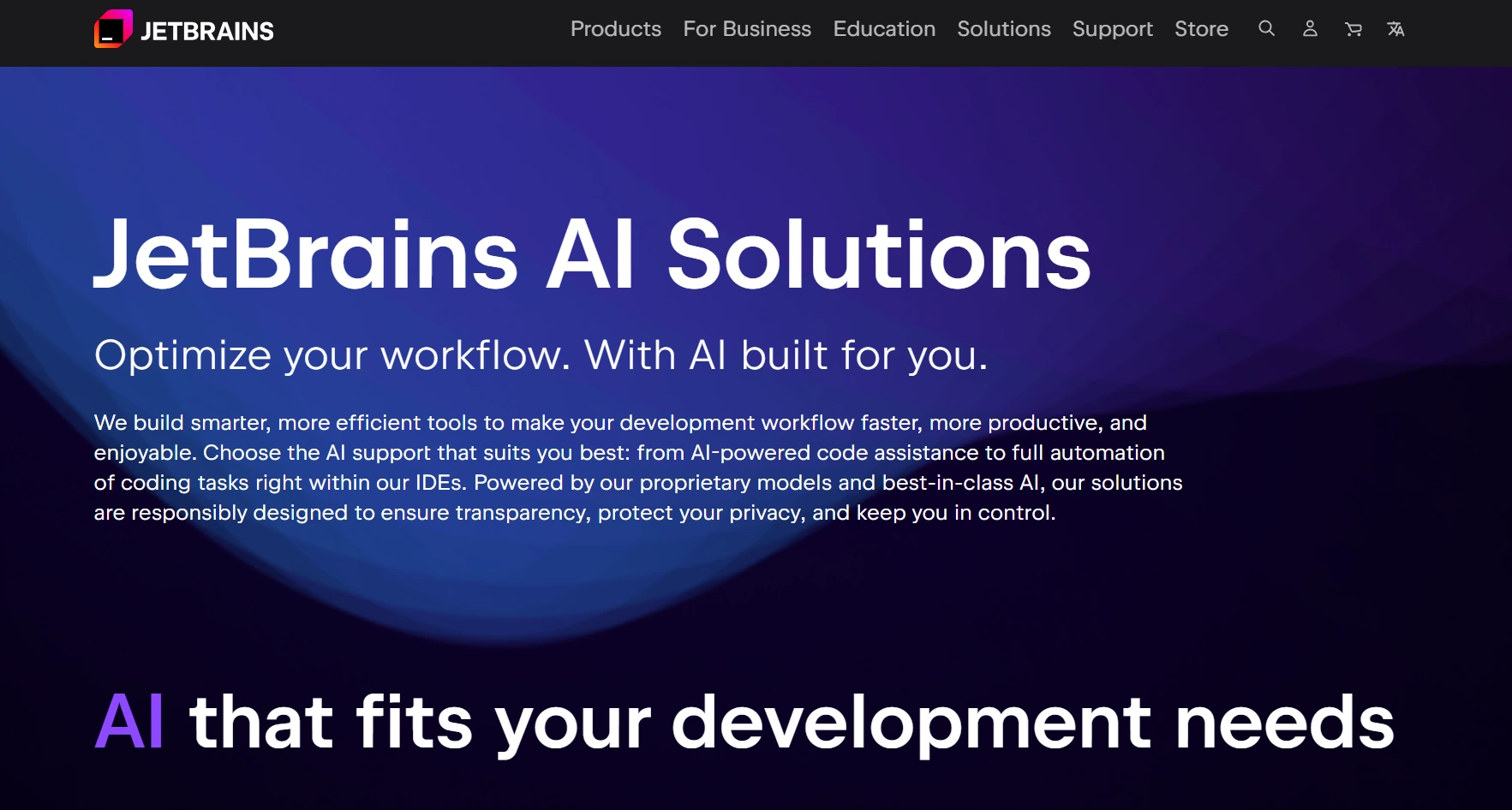
JetBrains AI Assistant is the native AI option for teams that live inside IntelliJ IDEA, PyCharm, WebStorm, GoLand, CLion, Rider, and other IntelliJ-platform IDEs. The plugin uses JetBrains’ code analysis engine to keep suggestions aligned with project structure, and it works alongside Junie, the JetBrains agent that handles planning, writing, and testing.
JetBrains also runs on its own proprietary Mellum model for code completion, with the option to plug in other providers. The Enterprise tier supports on-prem and air-gapped deployment, plus custom model routing without vendor lock-in. For Singapore teams committed to the JetBrains ecosystem, that level of native integration is hard to match.
Standout Features
- Context-aware code suggestions, explanations, and documentation drafting in the editor.
- Junie agent for multi-step tasks, file edits, test runs, and result verification.
- Native refactors, inspections, and project-aware navigation.
- Local model support and offline mode for select tasks.
- Multi-provider routing on Enterprise without vendor lock-in.
Pros
- Deepest possible integration across JetBrains IDEs.
- Strong privacy posture. JetBrains does not use customer code or data to train AI models.
- Enterprise controls, including on-prem deployment for regulated workloads.
- Centralized auth, governance, and audit logs for team rollouts.
Cons
- Feature availability varies. Junie is limited to certain IDEs and regions.
- Heavy agent or chat use can burn credits quickly on larger models.
- Full self-hosted governance requires the Enterprise tier.
Pricing
- AI Free: Small monthly cloud credit. Unlimited local code completion where available.
- AI Pro: $10/user/month with 10 AI Credits per 30 days.
- AI Ultimate: $30/user/month with 35 AI Credits per 30 days.
- AI Enterprise: $60/user/month, billed annually. Maximum credits, enterprise security, and custom AI integrations. Request a demo from JetBrains.
- All Products Pack: $29.90/user/month. Includes 10 IDEs, Air, and extra .NET tools with 10 AI Credits per 30 days.
- dotUltimate: $21.90/user/month. Includes Rider, ReSharper, and 4 extra .NET tools with 10 AI Credits per 30 days.
Best for: Teams standardized on JetBrains IDEs that want native AI inside their daily editor. Strong fit for Singapore engineering organizations that need enterprise governance, on-prem options, and the most seamless refactor and test generation experience.
7. Tabnine
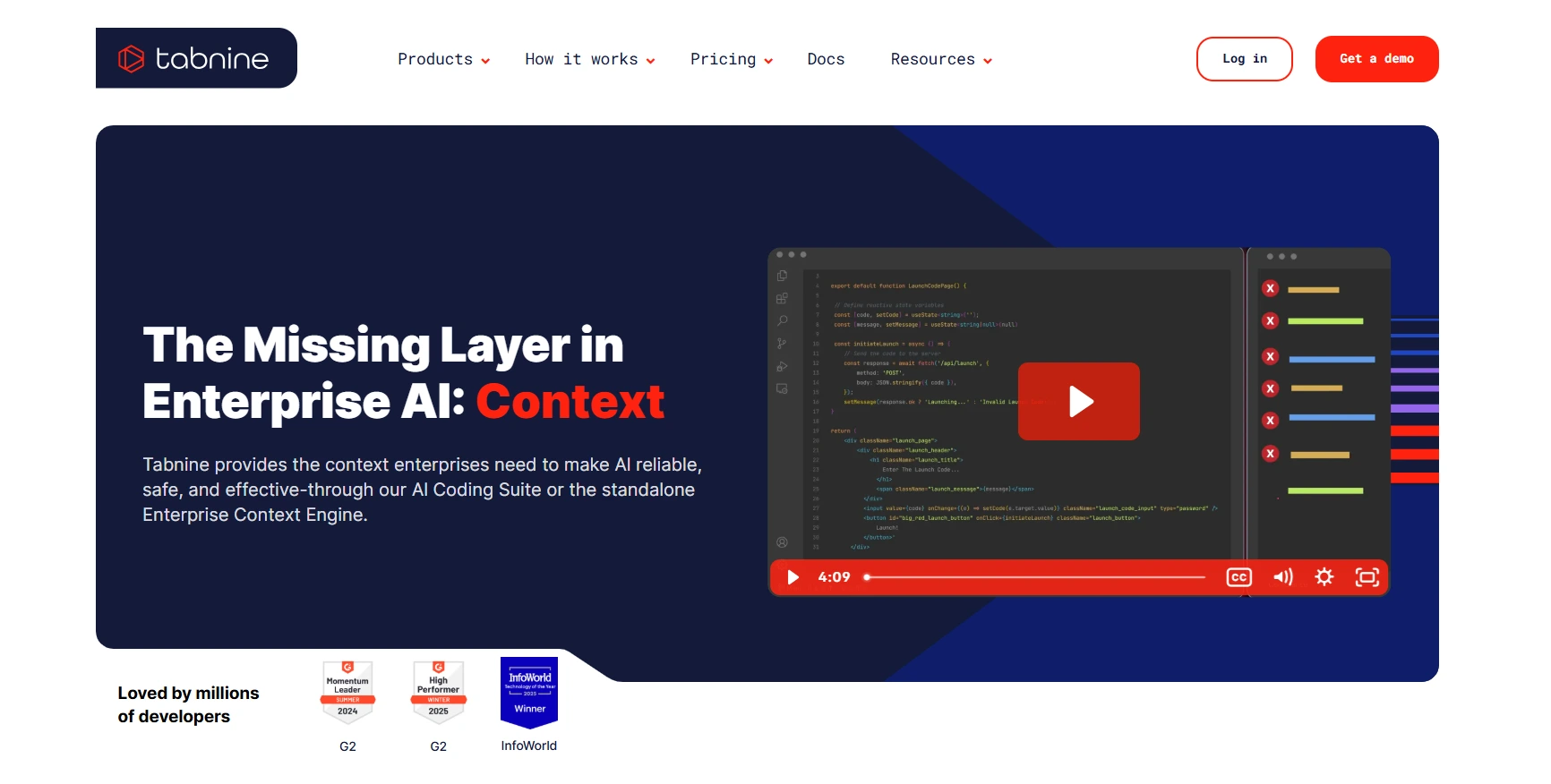
Among AI coding assistant options, Tabnine stands out for teams that put privacy and deployment flexibility first. It runs across all major IDEs plus a CLI, with completions and chat for explanations, tests, and refactors. Deploy on SaaS, VPC, on-prem, or fully air-gapped.
Model choice is open too. Pick from Anthropic, OpenAI, Google, Meta, Mistral, and others, or bring your own. The Enterprise Context Engine, on the Agentic tier, learns your architecture and coding standards from GitHub, GitLab, Bitbucket, and Perforce. For Singapore enterprises in finance, healthcare, and government, the mix fits where data residency rules leave little margin.
Standout Features
- AI code completions and chat across all major IDEs.
- Flexible model choice across Anthropic, OpenAI, Google, Meta, Mistral, and BYO models.
- Enterprise Context Engine for architecture-aware suggestions (Agentic tier).
- Tabnine CLI for terminal-native agentic workflows (Agentic tier).
- MCP supports Jira, Confluence, Git, Docker, and CI/CD with governance controls.
- Provenance and traceability for every AI output.
- Coaching Guidelines to enforce organizational coding standards.
Pros
- Zero code retention and total privacy across all deployment options.
- Flexible deployment including SaaS, VPC, on-prem, and fully air-gapped.
- Enterprise compliance with GDPR, SOC 2, ISO 27001, and IP indemnification.
- Transparent pricing with direct LLM token billing and no markup.
Cons
- Pricing is higher than most editor-based assistants.
- Agentic features (Context Engine, CLI, MCP) require the higher tier.
- Self-hosted setup needs a platform and DevOps effort.
Pricing
- Tabnine Code Assistant Platform: $39/user/month, annual subscription. Includes AI completions, chat, multi-LLM access, flexible deployment, and enterprise compliance.
- Tabnine Agentic Platform: $59/user/month, annual subscription. Adds autonomous agents, Tabnine CLI, the Enterprise Context Engine, and MCP support.
Best for: Teams that want a coding AI assistant with strict privacy guarantees, full deployment control, and modern IDE coverage. Strong fit for Singapore organizations in finance, healthcare, and government, where data residency and PDPA compliance are non-negotiable.
8. Windsurf
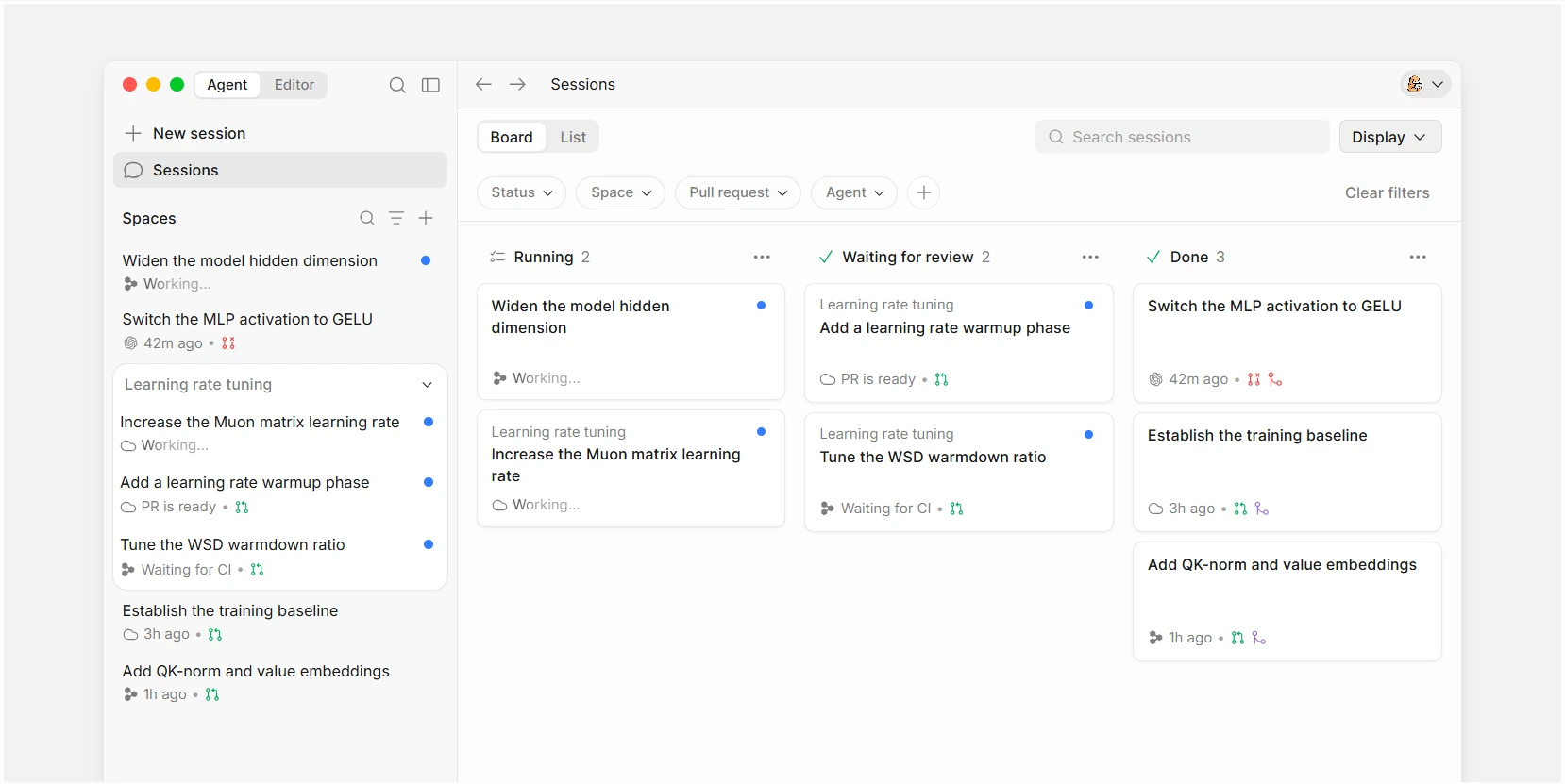
Windsurf, recently rebranded to Devin Desktop, is an AI-native code editor that doubles as a command center for multiple coding agents. The Cascade agent runs alongside Devin, Codex, Claude Agent, and OpenCode in the same window through the Agent Client Protocol (ACP).
What makes Windsurf different is how it lets you delegate work across a team of agents from one surface. Spaces share context across agents, Fast Context surfaces the right files instantly, and Supercomplete predicts your next move rather than just your next edit. For Singapore teams running heavy parallel work on AI features, that approach cuts a lot of context switching.
Standout Features
- Cascade agent that plans and executes multi-step changes across your editor, terminal, and clipboard with approvals at each step.
- One workspace to run Devin, Codex, Claude Agent, OpenCode, and Cascade side by side.
- Spaces that let agents share project context and Git worktrees as they work.
- Supercomplete predicts your next thought, not just the next character you type.
- Fast Context surfaces the files an agent needs from anywhere in your codebase in milliseconds.
- Unlimited free access to SWE-1.6, billed as one of the fastest coding models available.
- Plugin marketplace with MCP servers for Slack, Linear, Notion, Figma, Sentry, Stripe, and more.
Pros
- Agent Command Center handles multiple agents from one surface.
- Familiar IDE experience with syntax highlighting, autocomplete, and debugging built in.
- Unlimited access to SWE-1.6, positioned as one of the fastest coding models on the market.
Cons
- Full functionality requires the desktop app. Lighter coverage available through other surfaces.
- Multi-agent workflows have a learning curve for teams new to ACP.
Pricing
- Free: $0 with the core IDE and access to SWE-1.6.
- Pro: $20/month, the most popular plan for individual developers.
- Max: $200/month for power users with heavy multi-agent workloads.
- Teams: $80/month base plus $40/month per full seat, with shared workspace features.
- Enterprise: Custom pricing.
Best for: Teams that want an AI coding assistant that doubles as a command center for multiple agents. Strong fit for Singapore product teams shipping AI features fast and running parallel agent workloads on the same codebase.
9. Aider
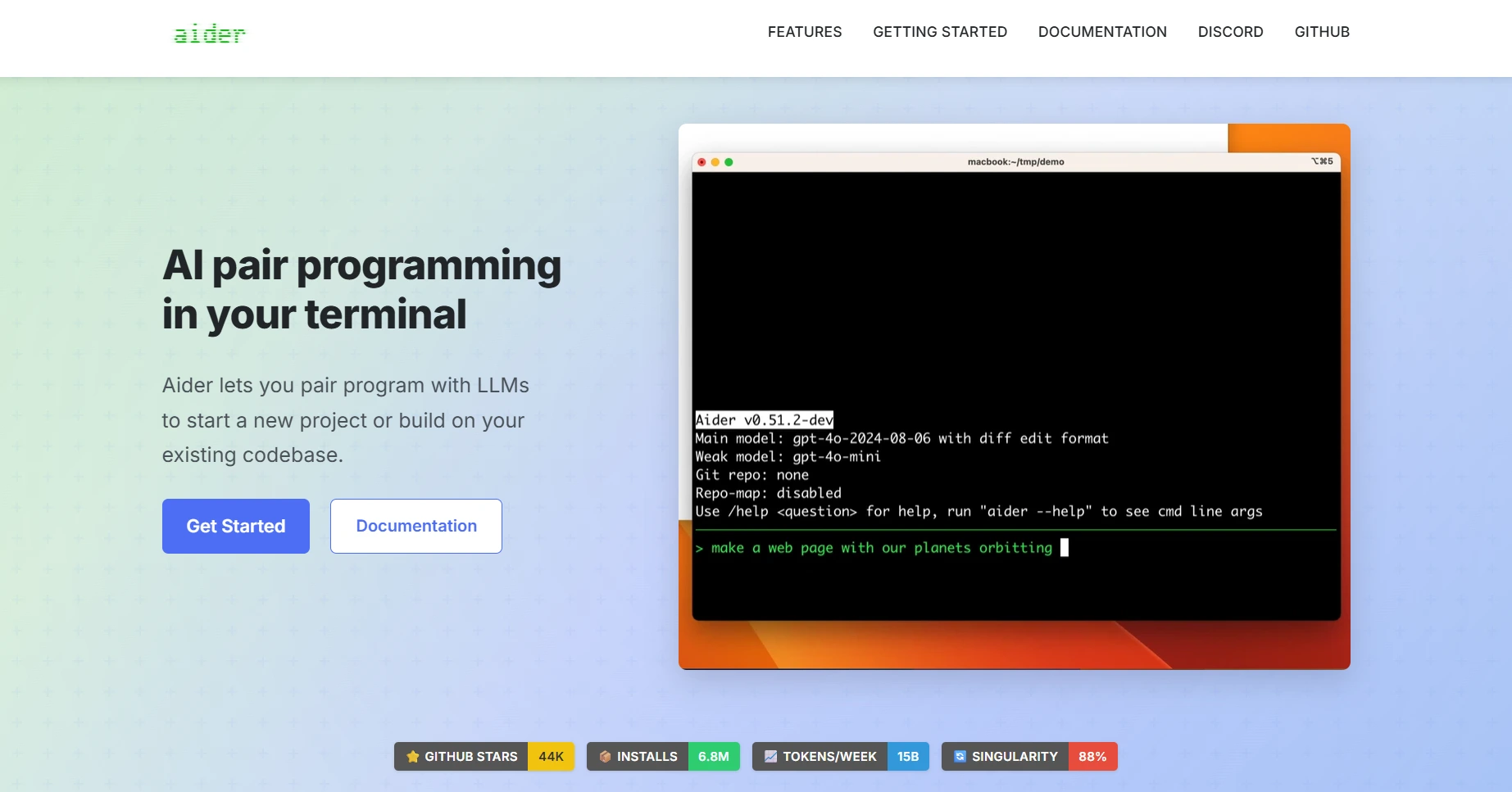
Aider takes a terminal-first approach for developers who prefer the command line over a full editor. You add files to the chat, describe the work in plain language, and Aider proposes, applies, and commits the patch as a readable Git commit. The Aider AI coding assistant is model agnostic, so you bring your own API key for OpenAI, Anthropic, DeepSeek, and most other major providers.
What sets Aider apart is its Git-first design. Every change lands as a separate commit you can review, revert, or bisect like any other Git history. For Singapore teams running migration sprints or CI pipelines that need supervised refactors, that traceability is a major win.
Standout Features
- Git-first workflow with every change landing as a readable, revertable commit.
- Codebase map that helps Aider reason across larger projects.
- Scoped context with explicit /add of files or glob patterns Aider can touch.
- Multi-file refactors that keep tests, docs, and imports in sync.
- Scriptable CLI for terminal sessions, shell scripts, and CI steps.
- Model-agnostic with support for Claude, DeepSeek, OpenAI, and local models.
- Auto lint and test runs after every change, with self-fix on detected issues.
- Image, web page, and voice input for richer prompts.
Pros
- Safety and traceability. Commit-by-commit history creates audit trails and speeds reviews.
- Strong fit for migration work like API changes, type updates, and lint cleanups.
- Supports 100+ programming languages, including Python, JavaScript, Rust, Go, Ruby, PHP, and more.
- No IDE lock-in. Works alongside any editor, linter, or test runner.
- Open source and free. You only pay for the model API you choose.
Cons
- No built-in model. You must wire up a provider or local server before starting.
- Best for developers comfortable with Git, terminals, and reading diffs.
- Not an IDE itself. Aider integrates with editors but doesn’t ship with live debugging or project indexing UI.
- Ambiguous prompts produce noisy diffs, so prompt hygiene matters.
Pricing
- Aider itself: Free and open source under a permissive license.
- No subscription: No monthly or annual fees for using the tool.
Best for: Engineers and teams who live in the Aider AI coding assistant terminal and want clean, reviewable refactors with full control over models and commit history. Strong fit for Singapore engineering teams running migration sprints, polyglot repos, and CI pipelines that need human-in-the-loop transformations.
10. Qodo
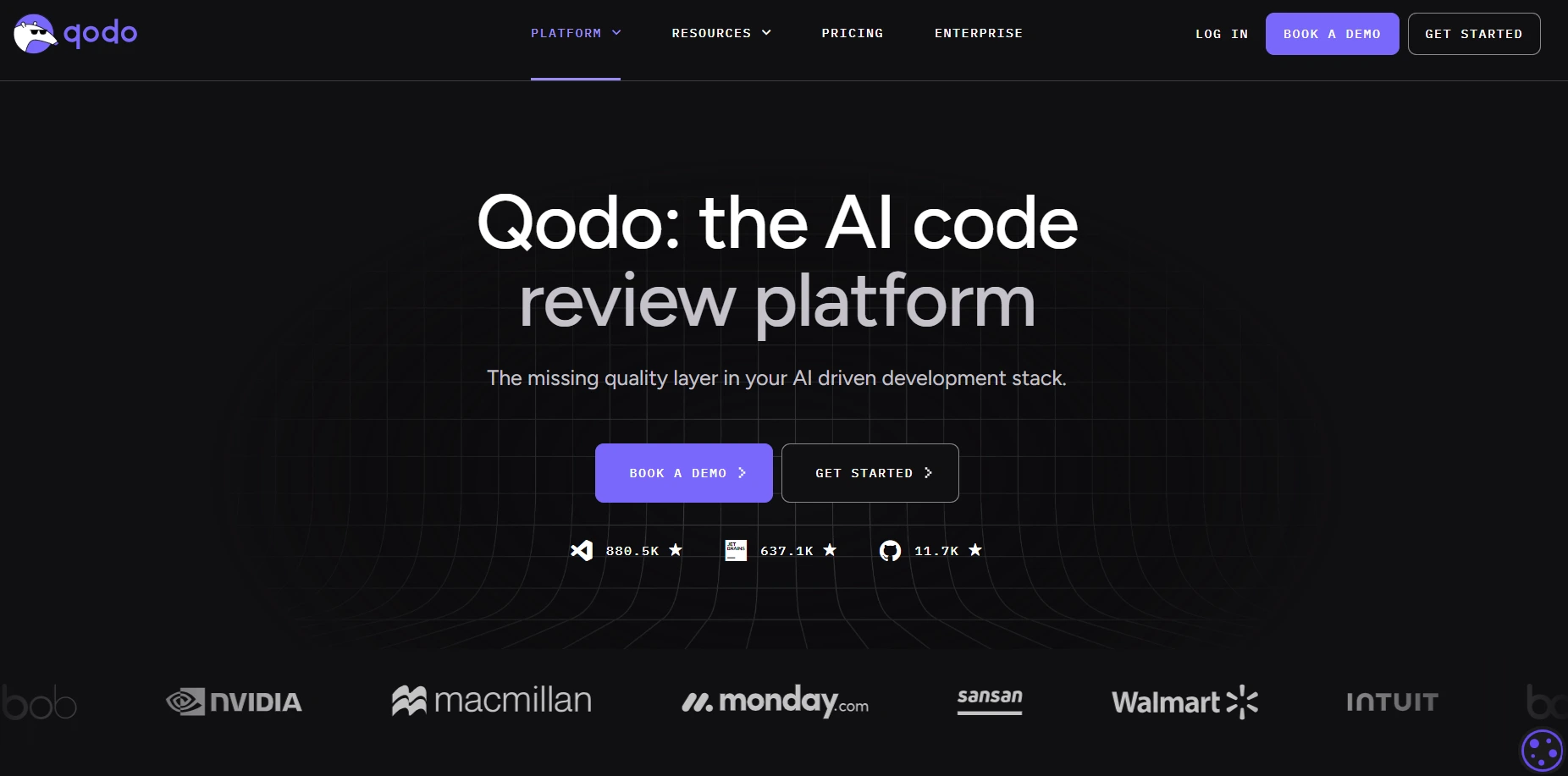
Qodo positions itself as an AI Code Review Platform, the quality layer between “AI wrote it” and “production-ready.” Instead of competing on completions, it validates, enforces, and governs changes before merge. The platform plugs into GitHub, GitLab, Bitbucket, and Azure DevOps, with an IDE plugin for VS Code and JetBrains, plus a CLI for custom review agents.
What sets Qodo apart is the structured PR Compliance Guide it posts on every review. Rather than scattering inline comments, it answers one direct question: Is this change ready to merge? Qodo flags real risks like missing test coverage, security gaps, and process failures. For Singapore teams with high PR volume and multi-repo setups, that pre-merge focus is a strong fit.
Standout Features
- PR Compliance Guide that tells you if a change is merge-ready, with no inline noise.
- Automated PR review across code, diffs, and test coverage.
- Rules engine that enforces your team’s coding standards across every PR.
- Multi-repo RAG indexing from a handful of repos to large distributed codebases.
- An IDE plugin that flags issues before you even open a PR.
- CLI agents for custom review automation across your SDLC.
Pros
- Great fit for teams shipping a lot of PRs with CI/CD already in place.
- Scales cleanly from small repos to large multi-repo setups.
- On-prem and air-gapped options for teams with strict data rules (Enterprise).
- Strict data retention applies even on the standard plan.
- BYOK on Enterprise puts you in control of LLM costs and data flow.
Cons
- Not the tool if you want inline autocomplete or AI code generation.
- Works best for teams that already follow structured PR and CI/CD workflows.
- Needs some upfront setup to tune rules and review skills to your standards.
Pricing
- Free Trial: 14 days. Unlimited reviews and credits.
- Pro Team: credit-based at $0.012 per credit, pooled across the team. Packs available at 2,500 credits (~18 reviews/month), 5,000 credits (~36 reviews/month), and 20,000 credits (~143 reviews/month). Switch packs anytime with no annual commitment.
- Enterprise: custom pricing for 30+ users. Adds SSO/SAML, audit logs, advanced self-learning, BYOK, single-tenant SaaS or on-prem deployment, priority support, and a dedicated CSM.
Best for: Engineering teams with high PR volume, multi-repo setups, and CI/CD-integrated review workflows who want an AI coding assistant that focuses on pre-merge quality. Strong fit for Singapore enterprises in regulated sectors that need on-prem or air-gapped deployment, audit logs, and BYOK for LLM access.
Pros and Cons of Adopting an AI Coding Assistant
Every AI coding assistant brings real productivity gains, but the trade-offs around security, code quality, and team habits matter just as much for Singapore engineering teams. Here is the honest look at both sides.
Advantages
- Faster delivery on routine work: An AI coding assistant handles boilerplate code, CRUD endpoints, config files, and test stubs in seconds. Your engineers spend more time on logic, design, and review, and less time on plumbing.
- Better test coverage and documentation: Most AI tools can draft unit tests, docstrings, and READMEs that your team refines before merge. Coverage goes up without extra planning meetings, and documentation stays closer to the current state.
- Smoother onboarding for new hires: A new developer can ask the assistant for codebase context, see how a feature was built, and get to their first PR faster. For Singapore teams scaling fast across the tech talent crunch, that ramp-up speed matters.
- Consistent code style across the team: The assistant follows your team’s coding rules and style guide, so everyone’s code looks and feels the same. This helps distributed teams between Singapore and offshore partners write code that fits together cleanly.
- Accessibility for non-experts: Explain-this prompts and inline examples help junior engineers and cross-functional contributors ship safely. The assistant becomes a teaching tool, not just a writing tool.
Disadvantages
- Data exposure and governance gaps: Sending source code or secrets to external AI services creates real risk if the setup is misconfigured. For Singapore teams under PDPA or MAS rules, self-hosted or VPC deployment is often non-negotiable.
- Hallucinations and insecure suggestions: Even strong models can invent APIs, miss security checks, or generate code that looks right but is not. Every AI output needs a human review before it ships to production.
- License and IP risk: Generated code can resemble snippets from restricted-license sources, especially when the context is broad. Banks, insurers, and government agencies in Singapore that touch open-source code need clear license policies and vendor indemnification.
- Over-reliance and weaker review habits: When AI does too much of the work, review attention drops. Teams accept large diffs they do not fully understand, and bugs slip through.
- Latency and cost surprises: Long chats, big context windows, or heavy agent runs can be slow and burn through credits or token budgets fast. Without monitoring, monthly bills get unpredictable.
- Tool sprawl across teams: Different teams adopting different assistants leads to inconsistent policies, fragmented audit logs, and split governance. Standardizing early saves cleanup later.
Conclusion
The right AI coding assistant is the one that fits your team’s stack, security posture, and how you actually ship code. Some teams need agentic terminal workflows. Others need PR review automation, on-prem deployment, or full IDE coverage across regulated environments. The 10 tools in this guide each solve a different slice of that problem.
For Singapore engineering leaders, the decision usually comes down to three questions: where does your code live, what compliance rules apply, and how much autonomy do you want the assistant to have. Get those answers straight, and the shortlist narrows fast.
If you want help cutting through the noise, the team at TechTIQ Solutions builds and deploys AI and machine learning solutions for Singapore companies across fintech, SaaS, and enterprise. Talk to us about evaluating, rolling out, or customizing AI coding workflows for your team.
FAQs
What are the differences between closed-source vs. open-source AI coding assistants?
Closed-source assistants like GitHub Copilot, Cursor, and Tabnine ship as commercial products with proprietary models, polished IDE integrations, and built-in governance. You get faster setup, mature support, and clearer compliance paperwork, but limited visibility into internals.
Open-source assistants like Aider give you full code access, no vendor lock-in, and the freedom to self-host or bring your own model. The trade-off is more setup work, ops responsibility, and uneven feature maturity depending on the model you wire in.
For most Singapore teams, closed-source is faster to pilot. Open-source wins when you need full data control, custom workflows, or unlimited usage without per-seat costs.
Who can use an AI coding assistant?
AI coding assistants are built for a wide range of users, not just professional developers.
- Professional developers use them to speed up boilerplate, refactoring, debugging, and test generation.
- Beginners and students get step-by-step explanations, real-time feedback, and safer learning paths into unfamiliar codebases.
- Engineering teams adopt them to standardize code style, automate PR reviews, and shorten onboarding.
- Non-technical users like product managers, analysts, and designers use them to prototype, understand code snippets, or automate small tasks.
Which AI coding assistant is best for beginners?
For beginners, the best AI coding assistant is one that explains its work and works out of the box. GitHub Copilot is a strong default because it sets up in minutes inside VS Code and offers clear inline explanations. Cursor is also beginner-friendly thanks to the AI-first editor and built-in chat. For students learning in the cloud, Replit offers a fully hosted environment with AI built in. The key features to look for as a beginner: easy setup, readable suggestions, clear explanations, and predictable pricing.
What are the best free AI coding assistants?
The best free AI coding assistant options in 2026 depend on what you need.
- Aider is fully open source and free. You only pay for the model API you choose.
- GitHub Copilot Free offers limited monthly chat and completion quota for individuals.
- Cursor Hobby is free with limited Agent requests and Tab completions.
- Windsurf Free ships with the core IDE and unlimited access to SWE-1.6.
- Gemini Code Assist for Individuals has a free tier for personal use.
Free tiers are best for evaluation, learning, or small side projects. For team rollouts, paid tiers add the governance and capacity you need.
Can AI code assistants replace manual code review?
No. AI coding assistants can speed up review by flagging issues, summarizing diffs, and catching missing test coverage, but they cannot replace human judgment on architecture, business logic, or risk decisions. Tools like Qodo and GitHub Copilot automate the repetitive parts of review, so reviewers focus on what matters. Treat AI as a first-pass reviewer, not the final approver.


Related articles

AI ERP in Singapore 2026: What It Is and How It Works
 Bruce Pham
  30 Sep 2026
Agentic AI vs Generative AI: What Is the Difference?
15 Jun 2026 
AI Chatbot for Education: A Complete Guide for Singapore Institutions
23 Apr 2026 
The Real Impact of AI on Software Development
19 Apr 2026 
Generative AI Development in Singapore: Complete Guide
11 Aug 2025 


